Image du logo de l'article pour Gmail Sender Icons

Gmail Sender Icons

digitalinspiration.com
Sélection
4,4(

131 avis

)
ExtensionOutils20 000 utilisateurs
Élément multimédia 3 (capture d'écran) pour Gmail Sender Icons
Élément multimédia 4 (capture d'écran) pour Gmail Sender Icons
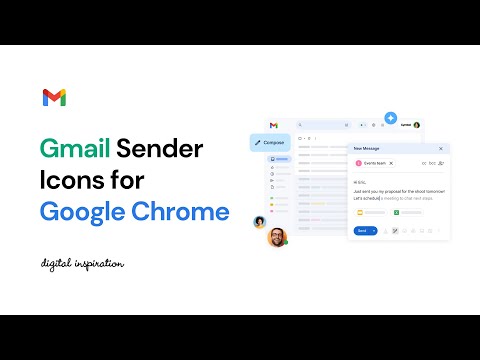
Miniature de la vidéo de l'article
Élément multimédia 2 (capture d'écran) pour Gmail Sender Icons
Élément multimédia 3 (capture d'écran) pour Gmail Sender Icons
Élément multimédia 4 (capture d'écran) pour Gmail Sender Icons
Miniature de la vidéo de l'article
Élément multimédia 2 (capture d'écran) pour Gmail Sender Icons
Miniature de la vidéo de l'article
Élément multimédia 2 (capture d'écran) pour Gmail Sender Icons
Élément multimédia 3 (capture d'écran) pour Gmail Sender Icons
Élément multimédia 4 (capture d'écran) pour Gmail Sender Icons

Présentation

Quickly identify the sender of email messages in Gmail without opening the message.

Gmail Sender Icons is a Google Chrome extension that makes it easy for you to quickly and visually identify email senders in Gmail. It shows the company domain name of the email sender and the official logo (favicon) of the sender's organization alongside the email message. For instance, if you receive an email from larry@google.com, the Gmail extension will add a virtual label google.com to your email message and also a logo of the Google website next to the message so you can immediately identify the sender in the email list. Gmail Sender Icons has been featured on Product Hunt, LifeHacker, The Next Web and host of popular websites. The favicons and the sender's domain are visible across Gmail including search results. The sender's label is applied virtually and the actual labels of the email message are left unchanged. The Gmail Chrome extension uses the Google S2 service for generating the website's favicon while the Gmail messages are parsed with the Inbox SDK framework. All processing is done locally in your browser and no Gmail data is ever shared or uploaded anywhere. The add-on is open source and the code is available on Github.

Détails

  • Version
    4.0
  • Dernière mise à jour
    27 juillet 2024
  • Taille
    1.39MiB
  • Langues
    English
  • Développeur
    Amit Agarwal
    8/167 Jn Md Agra 282004 India
    Site Web
    E-mail
    amit@labnol.org
  • Non-professionnel
    Ce développeur ne s'est pas identifié comme professionnel. Pour les consommateurs de l'Union européenne, veuillez noter qu'il est possible que les droits des consommateurs ne s'appliquent pas aux contrats entre vous et ce développeur.

Confidentialité

Gérez les extensions et découvrez comment elles sont utilisées dans votre organisation
Le développeur a indiqué qu'il ne collecterait et n'utiliserait pas vos données. Pour en savoir plus, consultez les privacy policy du développeur.

Ce développeur déclare que vos données :

  • Ne seront pas vendues à des tiers en dehors des cas d'utilisation approuvés.
  • Ne seront ni utilisées ni transférées à des fins sans rapport avec la fonctionnalité de base de l'article.
  • Ne seront ni utilisées ni transférées pour déterminer votre solvabilité ou en vue de vous proposer un prêt.

Assistance

Articles similaires

Gmail Tabs by cloudHQ

4,0

Définir des libellés Gmail ou des filtres Gmail en tant qu'onglets

Notes for Gmail™ by cloudHQ

4,0

Add annotations on your emails to remember something, or to coach how to craft a good email.

RightTasks for Gmail™

4,5

Improved task management in Gmail™

Sortd for Gmail

4,1

All-in-one Sales, Service, Help Desk & Task Manager for Gmail teams. Visual boards right in Gmail to share, assign and track emails.

Sort Gmail Inbox by cloudHQ

4,1

Find an email in seconds with free preset filters

Short Gmail Labels

4,7

Shorten your Gmail labels so parent labels are not displayed.

Simplify Gmail

4,5

Make Gmail simpler, more capable, and more respectful

Sender Icons for Gmail™

4,9

Add a sender icon for all emails in your Gmail inbox.

Simple Gmail Notes

4,6

Ajouter des notes aux fils de discussion dans Gmail.

Gmail Message Preview by cloudHQ

4,0

Preview emails in inbox.

Row Highlighter for Gmail™

4,5

Highlights Gmail rows on mouse over with nice and shiny colors.

Share and attach files in Gmail™ by cloudHQ

4,8

Attach and share files effortlessly from OneDrive, Dropbox, Box, Google Drive, Evernote and many more.

Gmail Tabs by cloudHQ

4,0

Définir des libellés Gmail ou des filtres Gmail en tant qu'onglets

Notes for Gmail™ by cloudHQ

4,0

Add annotations on your emails to remember something, or to coach how to craft a good email.

RightTasks for Gmail™

4,5

Improved task management in Gmail™

Sortd for Gmail

4,1

All-in-one Sales, Service, Help Desk & Task Manager for Gmail teams. Visual boards right in Gmail to share, assign and track emails.

Sort Gmail Inbox by cloudHQ

4,1

Find an email in seconds with free preset filters

Short Gmail Labels

4,7

Shorten your Gmail labels so parent labels are not displayed.

Simplify Gmail

4,5

Make Gmail simpler, more capable, and more respectful

Sender Icons for Gmail™

4,9

Add a sender icon for all emails in your Gmail inbox.

Applications Google