


Overview
A cleaner Gmail with themes, Auto BCC, newest-first conversations, label organization, message-only zoom, and keyboard shortcuts.
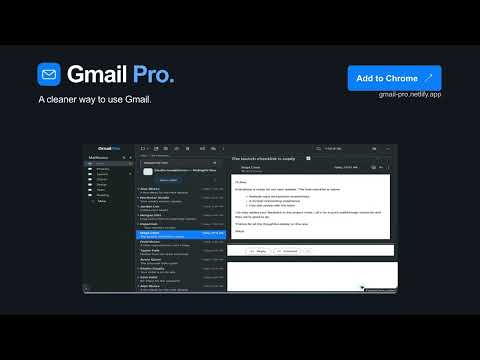
A cleaner, better way to use Gmail. Less clutter. More room to read. The latest reply right where you need it. Gmail Pro turns your existing Gmail inbox into a clean, desktop-style workspace. A compact conversation list sits beside a large reading pane, while search and message actions stay within reach. Collapse the header and side panels, choose your theme, and make the inbox feel like yours. Preview the actual interface and explore the features: https://gmail-pro.netlify.app/ A BETTER VIEW OF YOUR INBOX Read sender and subject on separate lines, spot unread mail with clear dots, and keep the conversation list beside your open message. New setups start with roughly 25% of the mail area for conversations and 75% for reading. Drag Gmail’s divider to find your preferred balance; saved layout choices stay yours. THE LATEST REPLY, FIRST Open a conversation and start with its newest message, without scrolling through the whole thread. Gmail Pro changes the presentation; Gmail keeps your original conversation history. ZOOM THE MESSAGE, KEEP YOUR WORKSPACE Make an email easier to read with message-only zoom from 80% to 200%. Your toolbar and sidebar keep their size, and each new conversation starts at 100%. Zoom shortcuts require macOS. ORGANIZE GMAIL YOUR WAY Reorder mailbox and top-level label shortcuts. Move sublabels to another parent or hide a sidebar branch in Gmail Pro. In Apple Mail Mode, click an existing custom-label badge in Inbox to mark the conversation read and archive it, keeping its labels. Gmail’s Archive Undo stays available. KEEP REPLIES AND ACTIONS IN REACH Open Reply, Reply All and Forward in Gmail’s floating composer. Keep supported message actions in the reading toolbar. Add individually configurable macOS shortcuts for common actions, and keep Gmail’s Undo Send notice visible with the header collapsed. KEEP GOING THROUGH YOUR INBOX With Apple Mail Mode and the reading pane on the right, keep scrolling at the list edge to change Gmail pages automatically. See useful dates and times directly in the list, clearer To/CC/BCC lines, and click a sender or recipient name to copy an available email address. MAKE IT FEEL LIKE YOURS Follow your system appearance or choose Light or Dark, with eight accent colors. Most tools start enabled. You can change individual features, and existing saved preferences are preserved. OPTIONAL AUTO BCC Add one configured BCC address to new messages, replies, Reply All and forwards. Auto BCC starts off with no saved address. Its saved address can sync across Gmail accounts and browsers. Enable it only for an authorized recipient, and review recipients before sending. YOUR MAIL STAYS WITH GMAIL Mail features run locally in your browser. They use Gmail page content, including sender and recipient addresses, to provide the tools you enable. Gmail message content, BCC preferences, label names and Gmail account addresses are not uploaded to our service. These local uses still count as data handling under Chrome Web Store rules. Preferences can sync through Google Chrome Sync. The current free release makes no automatic subscription checks. Optional management of an earlier purchase contacts our service and Stripe. See the Privacy Policy for support, storage and earlier-purchase details. FREE FOR NOW. EVERY FEATURE. No payment details, subscription, license or trial countdown are required. Using Gmail Pro does not authorize a payment. Any future paid offer requires separately disclosed pricing and an affirmative purchase. BEFORE YOU ENABLE GMAIL PRO An adult must review the in-extension data disclosure and agree to the Terms. Users must be at least 13; a parent or legal guardian must accept and authorize use for minors. Shortcuts can send, archive or delete mail. Gmail label and layout changes can persist after uninstalling. Pausing mail features does not cancel an earlier subscription; purchase management remains available. Terms: https://gmail-pro.netlify.app/terms Privacy: https://gmail-pro.netlify.app/privacy REQUIREMENTS English desktop Gmail in Chrome 118 or newer, for personal and Google Workspace accounts. Keyboard shortcuts require macOS. Some features need Apple Mail Mode or Gmail’s native right reading pane. Gmail updates can require compatibility fixes. Gmail keeps control of messages, drafts, delivery, native actions and Undo windows. Gmail Pro is operated by Rick Munoz, Colorado, USA. It is independent of Google and Apple and is not affiliated with or endorsed by either. Gmail is a trademark of Google LLC.
5 out of 51 rating
Details
- Version1.0.8
- UpdatedNovember 10, 2026
- Size143KiB
- LanguagesEnglish
- DeveloperWebsite
Email
rmunoz.rams@gmail.com - Non-traderThis developer has not identified itself as a trader. For consumers in the European Union, please note that consumer rights do not apply to contracts between you and this developer.
Privacy

Gmail Pro has disclosed the following information regarding the collection and usage of your data. More detailed information can be found in the developer's privacy policy.
Gmail Pro handles the following:
This developer declares that your data is
- Not being sold to third parties, outside of the approved use cases
- Not being used or transferred for purposes that are unrelated to the item's core functionality
- Not being used or transferred to determine creditworthiness or for lending purposes
Support
For help with questions, suggestions, or problems, visit the developer's support site