

Gmail Bot

개요
Ask ChatGPT about your Gmail messages
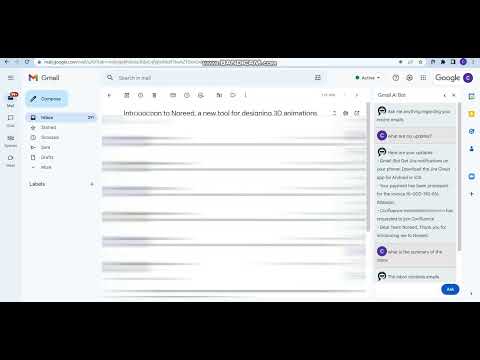
Once installed, refresh your page and you can find the Gmail Bot icon on top of your inbox emails list and Email Thread. Click the icon from the inbox to open the popup. You can ask questions about recent emails or the opened thread, extract important information, or summarize long conversations. E.g: * What are my updates * Summarize this conversation * Summary of the inbox When composing a new message or replying to a thread you can find the Gmail Bot Generate button right next to Send button. This can compose a suitable message for you to modify as necessary. Let the Gmail bot AI crunch through your inbox for the most important details and save your time.
5점 만점에 0점평점 없음
세부정보
- 버전0.1.10
- 업데이트됨2023년 5월 15일
- 제공Codimite PTE LTD
- 크기46.36KiB
- 언어English
- 개발자Codimite (Pvt) Ltd
이메일
support@codimite.com - 비판매자판매자로 식별되지 않은 개발자입니다. 유럽 연합에 거주하는 소비자의 경우, 이 개발자와 체결한 계약에 대해서는 소비자 권리가 적용되지 않을 수 있음을 유의해야 합니다.
개인정보 보호
Gmail Bot에서 데이터 수집 및 사용과 관련하여 다음 정보를 공개했습니다. 더 자세한 정보는 개발자의 privacy policy을 참고하세요.
Gmail Bot 항목은 다음을 처리합니다.
개발자가 사용자 데이터에 관해 다음과 같이 선언했습니다
- 승인된 사용 사례를 제외하고 서드 파티에 판매하지 않음
- 항목의 핵심 기능과 관련 없는 목적으로 사용하거나 전송하지 않음
- 신용도 판단 또는 대출 목적으로 사용하거나 전송하지 않음
지원
질문, 제안 또는 문제와 관련하여 도움이 필요하면 데스크톱 브라우저에서 이 페이지를 여세요.