

Glowpane: Comments Beside the Video for YouTube
1 rating
)
Overview
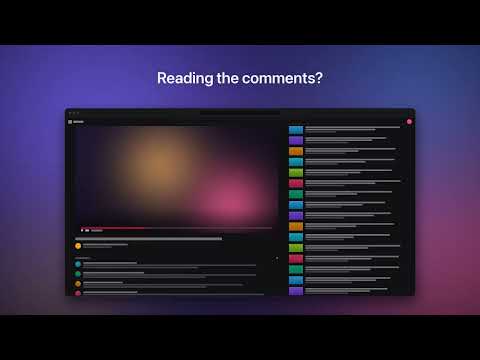
Read YouTube comments without losing the video: a resizable side-by-side layout with ambient light and a synced two-window mode.
Read the comments without losing the video. Glowpane puts the video on the left and everything else on the right, so scrolling the comments or recommendations never pushes the video off the screen. • Always in view: the video keeps its own column while you scroll. • Resizable: drag any divider (double-click to reset), and collapse any section with one click. • Just the video: drag the divider to the window edge, or press Alt+Shift+V, to hide everything else. • Adapts to the video: vertical videos get an even split, and a wide side pane shows recommendations and comments side by side. • Ambient light: the video's colors glow softly behind the page, in light theme too, which YouTube itself doesn't offer. • Two windows: keep the video in your window and the comments in a second one, always in sync. • Thoughtful defaults: live chat, light and dark themes, and the end of a video are all handled for you. • Yours to tune: a toolbar panel for the glow strength, hiding the description, recommendations or comments, showing one pane at a time, the side pane's width and transparency, remembering your layout, or putting the video on the right, plus keyboard shortcuts. • Out of the way: theater mode and small windows get YouTube's normal layout. Everything runs in your browser. Nothing is collected and nothing is sent anywhere.
5 out of 51 rating
Details
- Version1.10.7
- UpdatedOctober 16, 2026
- Offered byJJ
- Size99.14KiB
- Languages5 languages
- Developer
Email
junjingting@gmail.com - Non-traderThis developer has not identified itself as a trader. For consumers in the European Union, please note that consumer rights do not apply to contracts between you and this developer.
Privacy

This developer declares that your data is
- Not being sold to third parties, outside of the approved use cases
- Not being used or transferred for purposes that are unrelated to the item's core functionality
- Not being used or transferred to determine creditworthiness or for lending purposes
Support
For help with questions, suggestions, or problems, visit the developer's support site