

GlowCue

Overview
Visual time signals for presenters
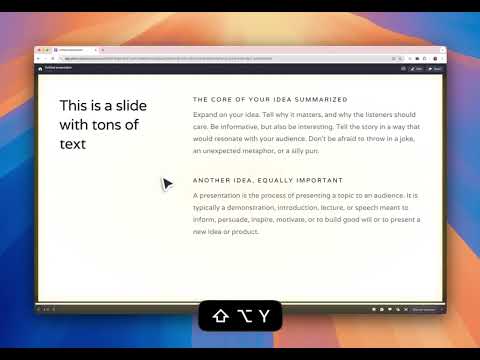
Stay on time during presentations with GlowCue. Signal "Warning" or "Time's Up" using vibrant, animated glows that appear directly on your slides. GlowCue works as well when sharing the screen, supports a right-click context menu, and integrates seamlessly with slide presentations and other web-based presentation tools. Features: Popup Control Use the extension popup to quickly select and apply a glow status. Context Menu Support Change the glow status via a right-click menu Keyboard Shortcuts Trigger glow states instantly using shortcuts: Clear (Green): Alt / Option + Shift + G Warning (Yellow): Alt / Option + Shift + Y Time Up (Red): Alt / Option + Shift + R Shortcuts can also be customized in the Chrome extension shortcut settings.
0 out of 5No ratings
Details
- Version1.2.0
- UpdatedFebruary 6, 2026
- Offered bykose
- Size34.13KiB
- LanguagesEnglish
- Developer
Email
apps@kultmedia.com - Non-traderThis developer has not identified itself as a trader. For consumers in the European Union, please note that consumer rights do not apply to contracts between you and this developer.
Privacy

This developer declares that your data is
- Not being sold to third parties, outside of the approved use cases
- Not being used or transferred for purposes that are unrelated to the item's core functionality
- Not being used or transferred to determine creditworthiness or for lending purposes
Support
For help with questions, suggestions, or problems, please open this page on your desktop browser