


Overview
Edit any webpage instantly
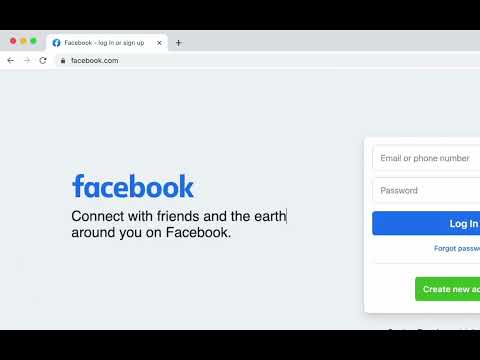
Edit any webpage visually, right in your browser. Promptly is a lightweight Chrome extension that lets you experiment with text, layout, and visual styles directly on any supported webpage, without writing code. Perfect for marketers, designers, developers, and anyone who wants to quickly preview changes before implementing them. What you can do: • Edit text: Change headlines, paragraphs, buttons, and other content directly on the page. • Adjust styles: Fine-tune fonts, colors, spacing, dimensions, and other visual properties. • Move elements: Drag elements or use your keyboard arrows to adjust their position. • Inspect elements: Explore element properties, attributes, and basic accessibility information. • Undo changes: Revert individual edits or restore the original page. Private by design All edits happen locally in your browser tab. Promptly doesn't send your changes to a server or require an account. Changes are temporary and do not modify the original website. Click. Edit. Preview.
0 out of 5No ratings
Details
- Version1.2.0
- UpdatedNovember 20, 2026
- Offered byeMiner
- Size256KiB
- Languages2 languages
- DevelopereMiner
Alameda Vicente Pinzon, 54 São Paulo, SP 04547-130 BREmail
product@eminer.app - Non-traderThis developer has not identified itself as a trader. For consumers in the European Union, please note that consumer rights do not apply to contracts between you and this developer.
Privacy

This developer declares that your data is
- Not being sold to third parties, outside of the approved use cases
- Not being used or transferred for purposes that are unrelated to the item's core functionality
- Not being used or transferred to determine creditworthiness or for lending purposes