

LOCK.PUB

Overview
Password-protect page links and text. Find your recent links from your browser.
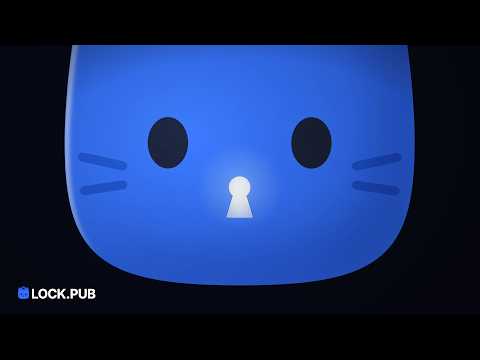
Create password-protected LOCK.PUB links while browsing. Protect the address of the page you are viewing, turn selected text into a secret memo, or write a new memo from the extension. • Start from the popup, the right-click menu for a page, link or selected text, or your configured keyboard shortcut. • Sign in through the extension to create page links and memos in the popup and view your recent links. • Copy a created link, reopen recent links, refresh the list, or continue to your dashboard. • Expand “Create on the web” to open the LOCK.PUB website for file links, chats and file requests. Each tool follows its website account and plan requirements. • Continue in the web creator when you are not signed in to the extension, or choose “More options on the web.” Your content is handed to that creator; enter the password and public note there again. Your public note is visible before unlocking. Keep passwords and confidential details out of it, and send the password separately from the protected link where practical. A protected link does not change the original website's sharing permissions or recall an address that a recipient has already copied. The popup supports English, Korean, Japanese, Simplified and Traditional Chinese, Spanish, Hindi, Vietnamese, German, Russian, French and Arabic. The shortcut shown in the popup reflects your Chrome setting; you can change or unassign it in Chrome's extension shortcuts settings. What's new in 1.2.0 The popup keeps its size as you move from writing to sharing. The blue cat looks away during password entry, closes its lock when your link is ready and nods when you copy it. You can also refresh recent links and open the web tools from the popup. With reduced motion enabled, the cat shows the final pose without animation.
0 out of 5No ratings
Details
- Version1.2.0
- UpdatedNovember 21, 2026
- Offered byBase404
- Size129KiB
- Languages12 languages
- Developer
Email
hello@lock.pub - Non-traderThis developer has not identified itself as a trader. For consumers in the European Union, please note that consumer rights do not apply to contracts between you and this developer.
Privacy

LOCK.PUB has disclosed the following information regarding the collection and usage of your data. More detailed information can be found in the developer's privacy policy.
LOCK.PUB handles the following:
This developer declares that your data is
- Not being sold to third parties, outside of the approved use cases
- Not being used or transferred for purposes that are unrelated to the item's core functionality
- Not being used or transferred to determine creditworthiness or for lending purposes