

Glasp Web Highlighter: PDF & Web Highlight

Overview
Highlight and annotate web pages, PDFs and YouTube transcripts, get AI summaries, and export to Notion or Obsidian.
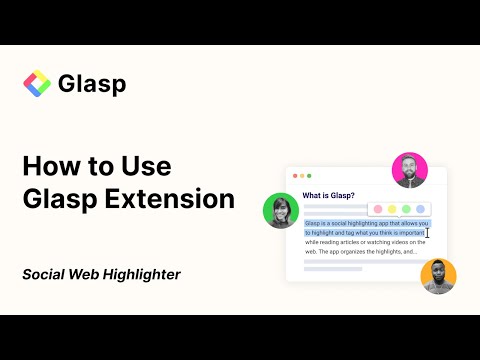
Glasp is a web and PDF highlighter. Select text on an article or an online PDF, mark it in one of four colors, add a note, and find it again later in your Glasp library, together with the page it came from. WHAT YOU CAN DO • Highlight web pages: select text and pick a color in the popup, or select text, hold Shift and press G twice. What you marked stays there when you return to the page. • Notes and tags: add a note to any passage you saved, a note to the whole page, and tags to organize what you read. • Sidebar: click the extension's icon in the toolbar, or hold Shift and press T twice, to see everything you marked on the page and jump to it. • PDF highlighter: open an online PDF in Glasp's PDF viewer to highlight it and add notes, then download a copy with the colors you added. • YouTube: a "YouTube Summary" box beside each video shows the transcript, a summary and a chat, and its sparkle button opens ChatGPT, Claude or Gemini in a new tab with the video's text and a ready-made prompt. Mark lines of the transcript and jump back to them in the video, or hide the box in Settings. • Images: right-click an image and choose "Highlight image with Glasp". • AI on the page: the Summary tab summarizes the article, video or PDF, and the Chat tab answers questions about it, using what you saved if you want. • Suggest Highlights: see the passages other readers marked on the same page, or, when there are none, passages an AI picks. • Kindle: sync your Kindle highlights from Amazon's Kindle sites in 12 countries into your Glasp library. • Export: copy what you saved from a page together with its notes, title, URL and tags, export it to Notion, Obsidian or Readwise, or download it as .md, .txt, .csv, .html or .json. • Share: post a quote on X or Bluesky, share the page on Facebook or LinkedIn, email it, copy a link to it, or turn a quote into an image. HOW TO START 1. Add the extension and sign in with Google or Apple. 2. Select text on a page and choose a color. 3. Open your library on glasp.co to search and revisit everything you saved. PUBLIC OR PRIVATE What you save appears on your Glasp profile, where other readers can discover it, and you can make any page private. The extension does not run on a built-in list of sensitive sites, such as many banks, password managers, health portals and government services, and on a page with a password or card field it asks before saving. You can turn off highlighting on any other site. FREE PLAN Free to install, with a free plan for highlighting. AI summaries, chats and Suggest Highlights are limited on the free plan, as are prompts sent to your own AI chat and transcript copies on YouTube; Pro and Unlimited raise the limits: https://glasp.co/pricing Without a paid plan (including when you are not signed in), a prompt sent to your AI chat also asks the AI to search glasp.co for related highlights, cite any it uses, and end its answer with a "Learn more on Glasp" link. Pro and Unlimited send only your prompt. LINKS Website: https://glasp.co Support: https://glasp.co/support Privacy policy: https://glasp.co/privacy-policy Terms: https://glasp.co/terms-of-service Feedback: hi@glasp.co
4.3 out of 5997 ratings
Details
- Version2.1.6
- UpdatedNovember 19, 2026
- FeaturesOffers in-app purchases
- Size1.69MiB
- Languages8 languages
- DeveloperGLASP INCWebsite
548 Market St Pmb 26241 San Francisco, CA 94104-5401 USEmail
hi@glasp.coPhone
+1 415-857-0597 - TraderThis developer has identified itself as a trader per the definition from the European Union and committed to only offer products or services that comply with EU laws.
- D-U-N-S118390023
Privacy

Glasp Web Highlighter: PDF & Web Highlight has disclosed the following information regarding the collection and usage of your data. More detailed information can be found in the developer's privacy policy.
Glasp Web Highlighter: PDF & Web Highlight handles the following:
This developer declares that your data is
- Not being sold to third parties, outside of the approved use cases
- Not being used or transferred for purposes that are unrelated to the item's core functionality
- Not being used or transferred to determine creditworthiness or for lending purposes
Support
For help with questions, suggestions, or problems, please open this page on your desktop browser