


Обзор
The GitKraken Browser Extension bridges your hosted git repositories to GitKraken Desktop and with GitLens in VS Code.
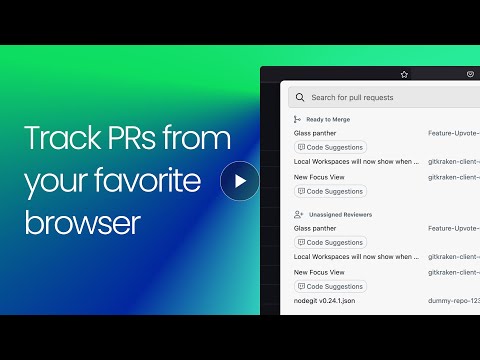
Quickly identify which pull requests need your attention, and open repositories, commits, and comparisons with ease. The GitKraken Browser Extension boosts your GitHub, GitLab, Bitbucket, and Azure DevOps workflows allowing you to access, triage, and review your teams pull requests more easily from the web. ➤ Track Your PRs SEE PRS BY STATUS: Keep track of your PRs from your browser with Launchpad. The GitKraken Browser Extension organizes your pull requests by status, and identifies which pull requests need your attention. OPEN PRS INSTANTLY: Open PRs in GitHub, GitLab, Azure DevOps, or Bitbucket to take action on a PR by opening it in a new browser tab. ACCESS CODE SUGGESTIONS: There’s an easier way to recommend changes. View PR code suggestions created by you or other GitKraken users. ➤ Work More Effectively With GitHub, GitLab, Azure DevOps, and BitBucket With this browser extension enabled, you get options inside github.com, gitlab.com, bitbucket.org, and dev.azure.com to open repositories and commits in VS Code with GitLens or with the GitKraken Desktop. 🖥 OPEN WITH GITKRAKEN: Enjoy the convenience of quick access to GitKraken Desktop or GitLens in VS Code right from GitHub's Code and GitLab’s Clone dropdowns. With a single click, you can open a repository directly in GitKraken Desktop’s robust UI or with GitLens in VS Code. ⤴️ OPEN COMPARISON IN VS CODE: Say goodbye to manual navigation. When viewing pull requests on GitHub, GitLab, Bitbucket, or Azure DevOps, the extension adds a "Open Comparison in VS Code" option to the Code dropdowns for an easy transition into GitLens in VS Code. 📄 OPEN WITH GITKRAKEN button on commit pages: Keeping track of your commits is now more accessible than ever. The GitKraken Browser extension adds a dedicated "Open with GitKraken" button to GitHub's, GitLab’s, Bitbucket's, or Azure DevOp's commit pages. ➤ Trusted by our users “All our developers are using GitKraken Desktop and it became a standard in our R&D organization. The UX is just awesome! Every action can be done in just a few clicks. The interface works so fast and intuitive that even our most experienced coders prefer this tool over the git command line.” ⸺ Lansweeper “GitKraken is the best multi platform GUI client. Our developers save 1-2 hours a week using the client.” ⸺ Stratio Automotive “When I'm setting up my development environment on a new machine GitLens is a must install. Worktrees enabled by GitLens+ allow me to easily work in multiple branches, improving my ability to collaborate with developers on my team when the work is spread out across multiple pull requests and branches.” ⸺ iSight ➤ Download GitKraken Desktop for Free Ready to try the legendary Git GUI for Windows, Mac and Linux? Download it today: https://www.gitkraken.com/git-client/try-free ➤ Install GitLens on VS Code for Free Learn why GitLens is the #1 Git extension on the VS Code marketplace. Install it today: https://www.gitkraken.com/gitlens/try-free NOTE: The GitKraken Browser Extension requires the GitKraken Desktop or GitLens on VS Code to be installed on your machine for complete functionality.
4,6 из 513 оценок
Подробности
- Версия2026.2.2312
- Обновлено23 февраля 2026 г.
- Размер1.64MiB
- ЯзыкиEnglish
- РазработчикGitKrakenСайт
16435 N Scottsdale Rd Suite 130 Scottsdale, AZ 85254-1606 USЭлектронная почта
google-dev@gitkraken.comТелефон
+1 631-487-5072 - ПродавецЭтот разработчик заявил, что является продавцом согласно определению Европейского Союза, и взял на себя обязательство предлагать только товары и услуги, соответствующие законодательству ЕС.
- D-U-N-S185863136
Конфиденциальность

Разработчик "GitKraken" предоставил указанные ниже сведения о сборе и использовании ваших данных. Подробную информацию вы найдете в правилах разработчика: privacy policy.
В продукте "GitKraken" обрабатываются следующие типы данных:
Этот разработчик утверждает, что ваши данные:
- Не продаются третьим лицам, за исключением разрешенных вариантов использования
- Не используются и не передаются в целях, не связанных с работой основных функций продукта
- Не используются и не передаются для определения платежеспособности или в целях кредитования
Поддержка
Сообщить об ошибках в работе приложения, задать вопрос или поделиться идеями можно на сайте разработчика.