

Git Streak Monitor

Overview
See today's GitHub contributions on your toolbar icon and keep your streak alive. Read-only token, no tracking, nothing sent to us.
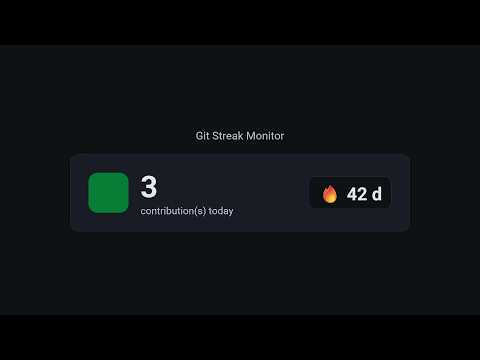
Your GitHub streak, one glance away. Git Streak Monitor puts today's GitHub contributions on your browser toolbar. No tab to open, no profile to refresh: the icon tells you whether you have shipped today, and the popup tells you how long your streak is. Built for developers who want to show up every day. Not to farm green squares, but to keep the habit honest: one commit, one fix, one small step. The streak is just the proof. WHAT YOU GET • A live toolbar icon The icon shows today's contribution count. Grey means nothing yet today. Then it turns green in three shades: 1 contribution, 2 to 3, and 4 or more. You know where you stand without clicking anything. • Your streak, always current The popup shows today's count and your current streak of consecutive days, including streaks longer than one year. It syncs with GitHub every few minutes, and you can refresh it on demand. • A reminder, only when you need it Pick a time. If you have not contributed yet that day, you get one notification. If you have, it stays quiet. • Your day, matched to GitHub's Choose your timezone and when your day resets, so "today" in the extension matches the day GitHub counts your contributions in. • Souvenirs (beta, off by default) See what you pushed on this same day in previous years, grouped by year and repository. A small reminder of how far your projects have come. • English and French Switch the language from the settings page at any time. SETUP IN ONE MINUTE 1. Create a read-only GitHub token at github.com/settings/personal-access-tokens. A fine-grained token with "Public repositories" access is enough. Private work counts when "Include private contributions on my profile" is turned on in your GitHub settings. 2. Open the settings page from the gear icon in the popup. 3. Paste your token and your GitHub username, then save. The extension checks the token with GitHub before saving it. It refuses a token that does not work or that belongs to another account, and it warns you if a classic token has write access. Git Streak Monitor only reads. PRIVATE BY DESIGN • No account, no sign-up, no server of ours. • No analytics, no tracking, no ads. • Your token and settings stay in your browser's local storage. • The only server the extension talks to is GitHub's API, with your own token. • No content scripts: it never reads or changes the pages you visit. GOOD TO KNOW • Requests use your own GitHub API rate limit. • Souvenirs relies on GitHub's commit search, which covers default branches only and has a stricter rate limit. That is why it is off by default. Ship something every day. Small counts. Website, privacy policy and feedback: https://git-streak-monitor-landing.vercel.app
0 out of 5No ratings
Details
- Version1.0.0
- UpdatedOctober 27, 2026
- Size69.87KiB
- LanguagesEnglish
- Developer
Email
leopaulmartin.iut@gmail.com - Non-traderThis developer has not identified itself as a trader. For consumers in the European Union, please note that consumer rights do not apply to contracts between you and this developer.
Privacy

Git Streak Monitor has disclosed the following information regarding the collection and usage of your data. More detailed information can be found in the developer's privacy policy.
Git Streak Monitor handles the following:
This developer declares that your data is
- Not being sold to third parties, outside of the approved use cases
- Not being used or transferred for purposes that are unrelated to the item's core functionality
- Not being used or transferred to determine creditworthiness or for lending purposes
Support
For help with questions, suggestions, or problems, visit the developer's support site