Item logo image for Girar tarefa no Classroom

Girar tarefa no Classroom

3.0(

1 rating

)
Item media 4 (screenshot) for Girar tarefa no Classroom
Item video thumbnail
Item media 2 (screenshot) for Girar tarefa no Classroom
Item media 3 (screenshot) for Girar tarefa no Classroom
Item media 4 (screenshot) for Girar tarefa no Classroom
Item video thumbnail
Item media 2 (screenshot) for Girar tarefa no Classroom
Item media 3 (screenshot) for Girar tarefa no Classroom
Item media 4 (screenshot) for Girar tarefa no Classroom

Overview

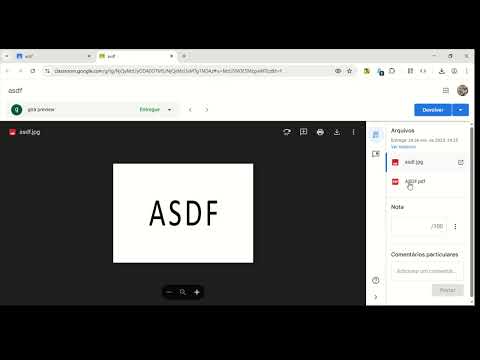
Adiciona um botão para girar as fotos ou pdf das atividades dos alunos no Google Sala de Aula. Não modifica o arquivo original.

Durante a pandemia criei esta extensão para facilitar a correção das tarefas enviadas pelos alunos no Google Sala de Aula. Estou disponibilizando de graça, sem anúncios e sem coleta de quaisquer dados. Não garanto que estará sempre atualizada, mas avisem quando parar de funcionar. É uma extensão leve que adiciona um botão para girar a foto ou o PDF das atividades dos alunos. Não modifica o arquivo, apenas gira a visualização na tela para facilitar a correção das tarefas pelo professor. Deixe uma avaliação, conte sobre sua experiência.

Details

  • Version
    1.2.0
  • Updated
    November 22, 2025
  • Offered by
    girapreview
  • Size
    112KiB
  • Languages
    6 languages
  • Developer
    Email
    girapreview@gmail.com
  • Non-trader
    This developer has not identified itself as a trader. For consumers in the European Union, please note that consumer rights do not apply to contracts between you and this developer.

Privacy

The developer has disclosed that it will not collect or use your data.

This developer declares that your data is

  • Not being sold to third parties, outside of the approved use cases
  • Not being used or transferred for purposes that are unrelated to the item's core functionality
  • Not being used or transferred to determine creditworthiness or for lending purposes

Support

Related

RotateX - Rotate Your Image

3.0

A simple extension For Rotate Image

Download Buttons in Classroom

4.8

Instant download buttons next to files in Classroom

Enhancer for Classroom™

5.0

UI improvements for Google Classroom

Subgroups for Google Classroom

4.0

Assign certain students access to Google Classroom posts, assignments, and more without having to check them off every time!

Rotato - Rotate Images in Chrome

2.5

Rotate any image in Chrome with ease!

Rotate PDF

5.0

Rotate PDF

Flip-Rotate Image (Sempurna)

3.3

Klik kanan pada gambar untuk memutar atau membaliknya, atau gunakan popup untuk mengubah semua gambar.

Pa3BoPoT Lite

4.7

The plugin turns entire web page 90 degree clockwise every time the button is pressed. Quite simple feature which is badly…

Default profile for Disney+

0.0

Default profile for Disney+, auto-logs chosen profile, bypassing 'Who's watching?' screen. Focus on viewing, not profile selection.

Rotate Image

5.0

Image Rotate – use extension to rotate an image or create a mirror image. А simple tool to flip pictures in your browser.

Better Classroom

5.0

Better Classroom is a Google Chrome extension that lets users create folders to organize their classes in Google Classroom.

PicHostify

0.0

An image hosting tool developed based on GitHub API. It provides services for image uploading, hosting, and common tools.

RotateX - Rotate Your Image

3.0

A simple extension For Rotate Image

Download Buttons in Classroom

4.8

Instant download buttons next to files in Classroom

Enhancer for Classroom™

5.0

UI improvements for Google Classroom

Subgroups for Google Classroom

4.0

Assign certain students access to Google Classroom posts, assignments, and more without having to check them off every time!

Rotato - Rotate Images in Chrome

2.5

Rotate any image in Chrome with ease!

Rotate PDF

5.0

Rotate PDF

Flip-Rotate Image (Sempurna)

3.3

Klik kanan pada gambar untuk memutar atau membaliknya, atau gunakan popup untuk mengubah semua gambar.

Pa3BoPoT Lite

4.7

The plugin turns entire web page 90 degree clockwise every time the button is pressed. Quite simple feature which is badly…

Google apps