

Gimp online - image editor and paint tool

Kopsavilkums
Create and edit images and photos with Gimp Online
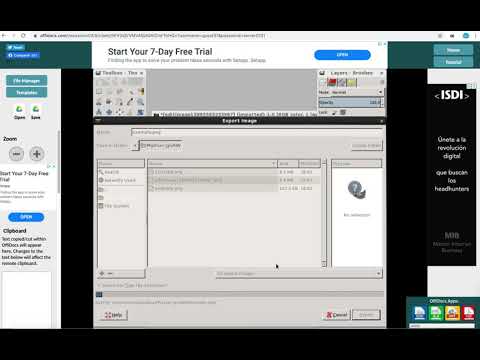
Gimp Image Editor is a tool for tasks like photo and image retouching, image composition and image authoring. It is an integration with the Linux Desktop app GIMP (GNU Image Manipulation), a freely distributed program that provides many capabilities. It can be used as a simple paint program, image editor, an expert quality photo retouching program, an image renderer, or an image format converter. It is an image editor integrated with our file manager to manage only image file types with this desktop app. GIMP is ideal for advanced photo retouching techniques. It gets rids you of unneeded details using the clone tool, or touch up minor details easily with the new healing tool. Moreover, numerous digital photo imperfections can be easily compensated for using GIMP. Fix perspective distortion caused by lens tilt simply choosing the corrective mode in the transform tools. Its main features are: - Suite of painting tools including Brush, Pencil, Airbrush, Clone, etc. - Image editor. - Sub-pixel sampling for all paint tools for high quality anti-aliasing. - Extremely powerful gradient editor and blend tool. - Supports custom brushes and patterns. - Full alpha channel support. - Layers and channels. - Multiple Undo/Redo. - Editable text layers. - Transformation tools including rotate, scale, shear and flip. The file format support ranges from the common likes of JPEG (JFIF), GIF, PNG, TIFF to special use formats such as the multi-resolution and multi-color-depth Windows icon files. A guide about how to use this app can be found at http://www.gimp.org/tutorials/ Gimp Image Editor uses the GIMP license: GPL. Hence it can be installed and distributed for free. This extension uses the platform http://www.offidocs.com from which this software is served. It is available for free online users but it also allows the integration with premium users and on-premises OffiDocs deployments where the OffiDocs GIMP is installed. IMPORTANT: This extension scans the webpages browsed in order to detect image files. The image files detected appear in a file list located in the extension popup that are retrieved from our servers. The scanning is performed from our servers for a maximum efficiency so your webpages are reported to our system. No personal data is collected. This scan can be disabled with a checkbox that appears in the extension popup. If you disable this scanning, this functionality is not available so then the extension functionality is very limited.
2,6 no 5243 vērtējumi
Detalizēta informācija
- Versija3.0.5
- Atjaunināts2025. gada 23. oktobris
- Lielums685KiB
- ValodasValodu skaits: 18
- Izstrādātājs
- Neesmu komersantsŠis izstrādātājs nav norādījis, ka būtu tirgotājs. Patērētāji Eiropas Savienībā, lūdzu, ņemiet vērā, ka uz līgumiem starp jums un šo izstrādātāju var neattiekties patērētāju tiesības.
Konfidencialitāte
Izstrādātājs Gimp online - image editor and paint tool ir sniedzis tālāk norādīto informāciju par jūsu datu vākšanu un izmantošanu. Detalizētu informāciju varat skatīt izstrādātāja politikā (privacy policy).
Gimp online - image editor and paint tool rīkojas tālāk norādītajā veidā.
Šis izstrādātājs apgalvo, ka jūsu dati:
- Netiek pārdoti trešajām pusēm, izņemot apstiprinātos lietošanas gadījumus.
- netiek izmantoti vai pārsūtīti ar tādu mērķi, kas nav saistīts ar preces pamatfunkcijām;
- netiek izmantoti vai pārsūtīti, lai noteiktu kredītspēju vai pieņemtu vai palīdzētu pieņemt lēmumus par aizdevumiem.
Atbalsts
Lai uzdotu jautājumus, iesniegtu ieteikumus vai saņemtu palīdzību problēmu novēršanā, lūdzu, atveriet šo lapu datora pārlūkā.