


Overview
Compress a GIF and cut its file size, reverse it, change its speed, or convert it to MP4. On device, no watermark.
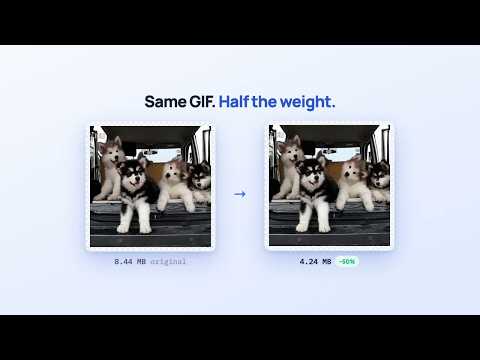
Cleanor GIF Toolkit is a fast, private GIF editor that lives in your browser toolbar. Drop in a GIF — or right-click one you found on a page — and reverse it, shrink it, trim it, slow it down or speed it up, and save the result. Every frame is decoded, changed and re-encoded on your own device. Nothing is uploaded, there is no account to create, and there is no tracking. MAKE GIFS SMALLER — PROPERLY Most "GIF optimizers" simply re-save the file, and a re-saved GIF is often bigger than the one you started with. Cleanor writes real inter-frame deltas: pixels that do not change from one frame to the next are not stored again. For the kind of GIF people actually share — a moving subject over a background that stays put, a reaction clip, a screen recording — that usually means half the size or better at the default settings, with nothing visibly lost. A full-motion clip where every pixel changes in every frame has no repetition to exploit and will save little; the popup says so plainly rather than pretending. For those, cap the palette (256 → 128 → 64 → 32 colors), keep every second or third frame, or scale the whole thing down — the preview and the exact file size update as you drag. When frames are dropped, their time is merged into the frames that stay, so a lighter GIF still plays at the speed you expect instead of quietly running fast. REVERSE One switch plays the animation backwards. It is the fastest way to turn a clip into a loop that runs forward and back, to undo an unfortunate direction, or to make the joke land. TRIM Drag the two handles to keep only the frames you want. Cut the dead air at the start, stop before the logo at the end, or pull a single reaction out of a long clip. SPEED AND SIZE Retime an animation anywhere from 0.25× to 4×, and scale it from 20% to 100% of its original dimensions. Both are the usual fix for a GIF that is too heavy to attach or too slow to hold attention. RIGHT-CLICK A GIF ON ANY PAGE You do not have to save a file first. Right-click a GIF you see on a page and choose "Open this GIF in Cleanor GIF Toolkit" — it opens in a tab, ready to edit. Access to that one website is requested at that moment, and only then; the extension does not ask for permission to read sites up front, and it never touches videos or media streams — only an image you point at. APNG AND ANIMATED WEBP TOO Drop an APNG or an animated WebP and it is converted, frame for frame, into a GIF you can post anywhere. Transparency survives: alpha-carrying animations are written with a real transparent index, instead of coming back with black boxes around the edges. PRIVATE BY DESIGN Frames are decoded with the browser's own image decoder and re-encoded with a small, bundled JavaScript encoder. No servers, no uploads, no remote code, no giant WebAssembly download. The extension asks for one permission (the right-click menu) and nothing else. Need to crop a GIF, split it into pieces, or convert it to MP4? Those live on the free web tools at cleanor.app, one click from the popup.
0 out of 5No ratings
Details
- Version1.0.2
- UpdatedJuly 15, 2026
- Size40.6KiB
- LanguagesEnglish
- Developer
- TraderThis developer has identified itself as a trader per the definition from the European Union and committed to only offer products or services that comply with EU laws.
- D-U-N-S571163701
Privacy

This developer declares that your data is
- Not being sold to third parties, outside of the approved use cases
- Not being used or transferred for purposes that are unrelated to the item's core functionality
- Not being used or transferred to determine creditworthiness or for lending purposes
Support
For help with questions, suggestions, or problems, please open this page on your desktop browser