Item logo image for Ghostlight in Browser

Ghostlight in Browser

ExtensionDeveloper Tools2 users
Item media 5 (screenshot) for Ghostlight in Browser
Item video thumbnail
Item media 2 (screenshot) for Ghostlight in Browser
Item media 3 (screenshot) for Ghostlight in Browser
Item media 4 (screenshot) for Ghostlight in Browser
Item media 5 (screenshot) for Ghostlight in Browser
Item video thumbnail
Item media 2 (screenshot) for Ghostlight in Browser
Item media 3 (screenshot) for Ghostlight in Browser
Item media 4 (screenshot) for Ghostlight in Browser
Item media 5 (screenshot) for Ghostlight in Browser

Overview

Governed browser automation over your own authenticated session, for AI agents.

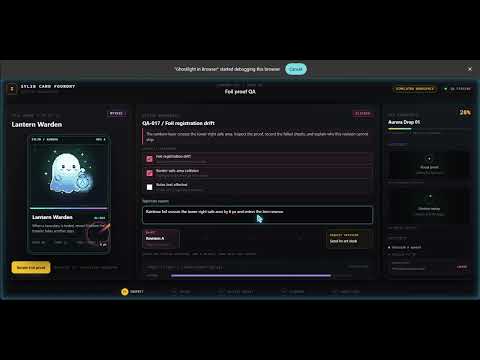
Ghostlight lets AI agents work in the Chromium browser you already use -- with your signed-in sessions, visible actions, local control, and optional policy guardrails. It connects compatible Model Context Protocol (MCP) clients, including Claude Code, Cursor, VS Code, and Codex, to a dedicated automation window in your real browser. Requires the local Ghostlight application: This extension is the browser half of Ghostlight. You must separately install and register the local Ghostlight application. Without that application running, the extension cannot receive instructions or take browser actions. What Ghostlight can do: - Read page text, structure, accessibility information, and shadow DOM. - Click, type, scroll, drag, and fill forms with real-input fidelity. - Show a visible cursor and action feedback while automation runs. - Return screenshots and relay user-requested recording frames so the local application can create an animated GIF. - Place host-supplied files and screenshots into page inputs and drop targets. The extension never reads files from your disk. - Find elements and run explicitly requested JavaScript inside the attached page. - Inspect console messages and network-request metadata. - Open, navigate, group, and manage tabs in a clearly labeled automation window. Governance stays on your machine The local application is the policy and audit layer. Ghostlight can run unrestricted, or it can limit domains and capabilities, explain denied actions, honor a "take the wheel" pause, and provide a panic kill switch. It writes a structured local record of what ran. The extension contains no policy, allowlist, or licensing logic. Local-first and private - No developer-operated service. - No analytics, telemetry, advertising, tracking, or data sale. - The extension communicates with the local Ghostlight application through Chrome native messaging, an on-device process-to-process channel. - Extension logic ships inside the reviewed package. It does not fetch or dynamically import code that changes extension behavior. - JavaScript requested through Ghostlight runs only inside the attached web page, not in the extension itself. Open and inspectable Ghostlight's source, install scripts, policy engine, decisions, and documentation are public: https://github.com/sylin-org/ghostlight Installation guide: https://sylin.org/ghostlight/ You remain in control. You decide whether Ghostlight runs, which policy it enforces, and when to pause, stop, or remove it.

Details

  • Version
    0.7.1
  • Updated
    August 2, 2026
  • Size
    141KiB
  • Languages
    English (United States)
  • Developer
    Website
    Email
    hello@sylin.org
  • Non-trader
    This developer has not identified itself as a trader. For consumers in the European Union, please note that consumer rights do not apply to contracts between you and this developer.

Privacy

Manage extensions and learn how they're being used in your organization

Ghostlight in Browser has disclosed the following information regarding the collection and usage of your data. More detailed information can be found in the developer's privacy policy.

Ghostlight in Browser handles the following:

User activity
Website content

This developer declares that your data is

  • Not being sold to third parties, outside of the approved use cases
  • Not being used or transferred for purposes that are unrelated to the item's core functionality
  • Not being used or transferred to determine creditworthiness or for lending purposes

Support

For help with questions, suggestions, or problems, visit the developer's support site

Google apps