


Overview
Turn highlighted text into actions instantly — works on most web pages
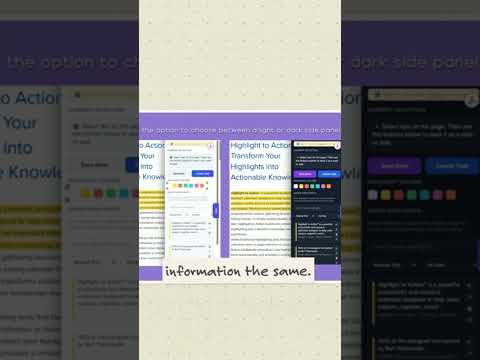
We created this extension to help make research, learning, and organizing information simpler and more productive. We hope it becomes a valuable part of your daily workflow. If you have any suggestions, feedback, or feature requests, we'd love to hear from you. Your input helps make Highlight to Action even better for everyone. Thank you again for your support, and happy researching! With appreciation, Highlight to Action Team Visit our website: https://www.rkgrafix.com/ ✨ Highlight to Action **Transform Your Highlights into Organized, Actionable Knowledge.** Highlight to Action is a powerful productivity extension designed to capture, organize, and export valuable information from the web. Whether you are conducting academic research, studying, content writing, or managing professional projects, it provides a clean, persistent workspace that keeps your discoveries within easy reach without interrupting your workflow. 🔮 Smart Side Panel Workspace Access a centralized hub that organizes everything you collect in real time. * Instant Accessibility: View saved highlights, notes, and tasks side-by-side with your browser content. * Seamless Interface: Features expand, collapse, and close controls with full support for both Light and Dark viewing modes. * Persistent Design: Your workspace stays intact and ready, keeping you in the flow. ⚡ Real-Time Capture & Persistent Storage Capture information the moment inspiration strikes and trust that it will be there when you return. * Instant Sync: Text highlighted on supported webpages instantly appears inside your side panel. * Automatic Restoration: Saved highlights automatically re-render when you revisit a page, even after refreshing, closing tabs, or restarting Chrome. (Note: Restoration accuracy may vary if the underlying webpage content has changed). * Rich Data Retention: Every clipping securely retains its original context, including the webpage title, URL, custom highlight color, and date/time stamps. 🎨 Color-Coded Organization Organize information visually by categorizing your highlights with multiple colors. Streamline your review process by mapping colors to specific workflows: * Gold: Important key points * Blue: Research references and citations * Green: Action items and tasks * Purple: Questions and ideas 🚀 Integrated Productivity Tools Go beyond simple bookmarking with tools designed to simplify knowledge management. * Notes & Tasks: Create, edit, and manage actionable tasks or annotations alongside your text clippings. * Google Docs Integration: Instantly copy your compiled Notes and Tasks directly into Google Docs for seamless drafting. *(Note: Highlights themselves are managed within the extension and not copied directly to Google Docs). * Smart Navigation: Effortlessly jump between saved highlights across multiple websites or clear individual clippings with a click. 📤 Flexible Export Options Take your research wherever your workflow requires with versatile export formats: * Standard Formats: Export your data into Plain Text (TXT), CSV for spreadsheets, or Markdown (MD) for clean knowledge bases. * Academic Bibliography (TXT): Generate a publication-ready text file that automatically organizes source details including Author, Title, Year, Publisher, URL, and Date Retrieved. Perfect for essays, reports, and citations. 🔒 Built for Privacy Your data belongs to you. Highlight to Action operates entirely locally to ensure maximum privacy. The extension does not require user accounts, cloud authentication, profile access, or any identity-related permissions. **Build a better research workflow and turn your highlights into action today.**
5 out of 53 ratings
Details
- Version0.3.7
- UpdatedOctober 26, 2026
- FeaturesOffers in-app purchases
- Size79.49KiB
- LanguagesEnglish (United States)
- DeveloperRayed KuryWebsite
1901 N 104th Ave Avondale, AZ 85392-4749 USEmail
rkgrafixs@gmail.comPhone
+1 623-760-3574 - TraderThis developer has identified itself as a trader per the definition from the European Union and committed to only offer products or services that comply with EU laws.
Privacy

This developer declares that your data is
- Not being sold to third parties, outside of the approved use cases
- Not being used or transferred for purposes that are unrelated to the item's core functionality
- Not being used or transferred to determine creditworthiness or for lending purposes