

GetFullPage - Full Page Screenshot & Screen Capture
1 rating
)
Overview
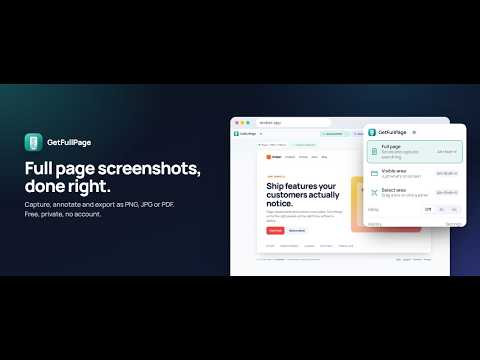
Capture a full page, visible area or selected area in one click. Annotate, blur, crop. Save as PNG, JPG or PDF. Nothing is uploaded.
Screenshot the ENTIRE page in one click. Free. Nothing uploaded. GetFullPage captures a full page screenshot from top to bottom, then lets you edit it and save it as PNG, JPG or PDF. No account, no watermark, no upload. Your screenshots never leave your browser. WHY PEOPLE SWITCH TO GETFULLPAGE * Full page, visible area, or select any area * Works on long pages, endless feeds and chat apps like Gemini and ChatGPT * Loads lazy images first, so nothing comes out blank * Sticky headers appear once, not on every screen * Cookie banners and chat widgets are hidden automatically * Stop and save at any point on very long pages * Full resolution, even for pages thousands of pixels tall EDIT BEFORE YOU SHARE * Crop, arrows, boxes, pen, highlighter, text, numbered steps * Blur anything private * Undo, redo, and restore the original any time EXPORT YOUR WAY * Download PNG or JPG * PDF as one tall page, or split into A4 pages with breaks that avoid cutting text * Copy straight to the clipboard MADE FOR DAILY USE * Light and dark theme * Local history of your last 10 captures * Keyboard shortcuts and right-click menu * Available in 13 languages 100% free. No signup. No tracking. Great for saving receipts, sharing bug reports, archiving articles, capturing chats, documenting designs, and keeping proof of anything on the web.
5 out of 51 rating
Details
- Version1.1.0
- UpdatedSeptember 30, 2026
- Offered byZenStack
- Size208KiB
- Languages13 languages
- Developer
Email
support@zenstack.space - Non-traderThis developer has not identified itself as a trader. For consumers in the European Union, please note that consumer rights do not apply to contracts between you and this developer.
Privacy

This developer declares that your data is
- Not being sold to third parties, outside of the approved use cases
- Not being used or transferred for purposes that are unrelated to the item's core functionality
- Not being used or transferred to determine creditworthiness or for lending purposes
Support
For help with questions, suggestions, or problems, visit the developer's support site