

Get The Full Page

Overview
Capture visible viewport, full page, or desktop/window/tab screenshots.
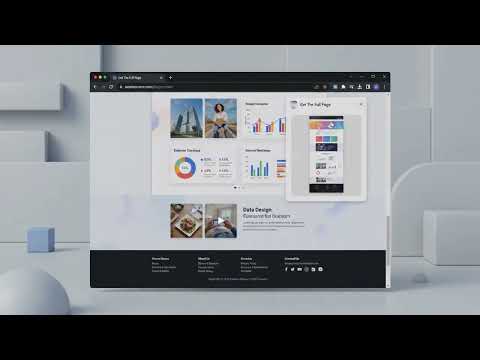
Get The Full Page gives you four powerful ways to capture any web page — all processed locally on your device, with nothing ever uploaded. CAPTURE MODES • Select Region — drag a box over any part of the page for a precise crop. A live pixel-dimension readout shows your selection size as you drag. • Visible Viewport — one click captures exactly what's on screen right now. Instant, no scrolling. • Full Page — automatically scrolls from top to bottom, stitches every section into one tall image. Works correctly on Retina / HiDPI displays. • Desktop / Window — opens Chrome's native picker to capture any screen, app window, or browser tab. AFTER EVERY CAPTURE A live preview appears before anything is saved. From there you can: – Download as PNG (lossless, full resolution) – Download as PDF (single-page, no external library) – Copy to clipboard — paste directly into Figma, Notion, Slack, email, or anywhere else – Annotate with arrows, boxes, text, and blur/redact regions – Discard if you change your mind CAPTURE HISTORY Your last captures are saved locally with thumbnails so you can revisit or re-export without recapturing. KEYBOARD SHORTCUTS Alt+Shift+S — Capture visible viewport Alt+Shift+R — Select a region Alt+Shift+F — Capture full page Cmd/Ctrl+Shift+G — Open the popup DELAY TIMER Set a 3 s, 5 s, or 10 s countdown before capture — perfect for catching hover states, dropdown menus, or tooltips. PRIVACY No accounts. No uploads. No tracking. No analytics. Every screenshot stays entirely on your machine. Nothing is ever sent to any server.
0 out of 5No ratings
Details
- Version1.0.0
- UpdatedAugust 13, 2026
- Offered byAndrew Bwogi
- Size26.03KiB
- LanguagesEnglish (United States)
- Developer
Email
andrew.bwogi@gmail.com - Non-traderThis developer has not identified itself as a trader. For consumers in the European Union, please note that consumer rights do not apply to contracts between you and this developer.
Privacy

This developer declares that your data is
- Not being sold to third parties, outside of the approved use cases
- Not being used or transferred for purposes that are unrelated to the item's core functionality
- Not being used or transferred to determine creditworthiness or for lending purposes
Support
For help with questions, suggestions, or problems, visit the developer's support site