


Overview
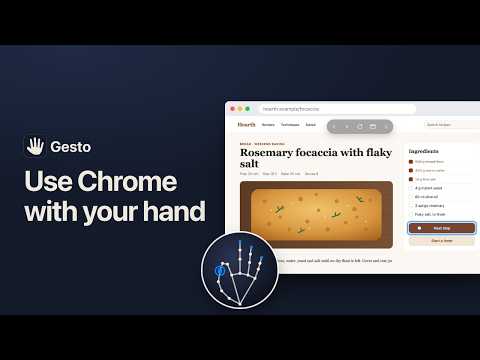
Hands-free browsing with your webcam: point, pinch and scroll with your hand. Video never leaves your device.
Gesto lets you use Chrome with your hand. Your webcam sees your palm: move it and the pointer follows, pinch your thumb and index finger to click, and pinch and move to scroll. It is for when your hands are busy or messy, when you are standing back from the screen, or when a mouse is uncomfortable to use. What it does - Point: a ring follows your palm, and whatever a pinch would click glows. - Click: pinch and let go. Slide off before letting go and the click is called off. - Scroll: pinch, then move. Let go fast and the page keeps gliding. - Raise your hand and a bar of buttons appears: back, forward, reload, your tabs as cards, and a microphone. - Dictate: pinch a text field, pinch the mic, and speak. The words are typed into the field. - Fit to your hand: the first time you turn it on, Gesto reads how your hand rests, opens and pinches, and sets itself from that. - On pages where Chrome blocks extensions, such as Settings and the Web Store, the side panel lists your tabs, so a pinch takes you to one Gesto can work on. Getting started Click the Gesto icon to open its side panel and press Turn On. Chrome asks once for access to websites, then for the camera. After that, Alt+Shift+G (Option+Shift+G on a Mac) turns Gesto on and off from any tab. Privacy Hand tracking runs inside Chrome on your computer, with Google's MediaPipe model packaged in the extension. Video is never recorded, stored or uploaded. Dictation uses Chrome's on-device speech recognition, so your voice stays on your computer too. There is no Gesto server, no account and no analytics. The camera is on only while Gesto is on. The side panel says when it is, and the toolbar icon shows ON once you pin it. Why it asks to read and change data on all websites Gesto has to draw its pointer on the page you are looking at and click, scroll and type there for you. It asks for this when you first press Turn On, not at install. Nothing it touches on a page is sent anywhere. Gesto is free. Questions and bug reports: https://jonasneves.com/gesto/feedback.html
0 out of 5No ratings
Details
- Version0.1.1
- UpdatedOctober 9, 2026
- Size9.53MiB
- LanguagesEnglish (United States)
- DeveloperWebsite
Email
hello@jonasneves.com - Non-traderThis developer has not identified itself as a trader. For consumers in the European Union, please note that consumer rights do not apply to contracts between you and this developer.
Privacy

This developer declares that your data is
- Not being sold to third parties, outside of the approved use cases
- Not being used or transferred for purposes that are unrelated to the item's core functionality
- Not being used or transferred to determine creditworthiness or for lending purposes
Support
For help with questions, suggestions, or problems, visit the developer's support site