

GenieMailer

개요
Effortlessly generate AI-powered emails for seamless communication.
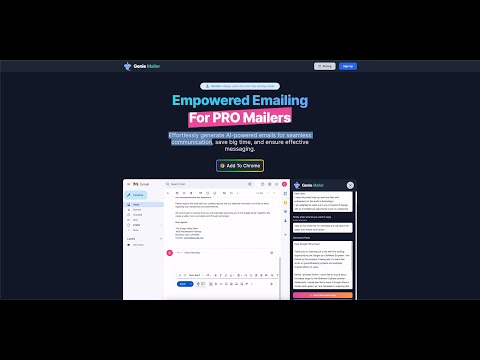
Enhance your Gmail experience with GenieMailer, a state-of-the-art Chrome extension that leverages AI technology to generate intelligent email responses swiftly. Improve productivity and efficiency in your communications with smart suggestions provided by GenieMailer, allowing you to respond to emails faster and more accurately. Key Features: - Improve Productivity: Spend less time thinking about the perfect response; let GenieMailer do it for you. - Gmail Compatibility: Seamlessly integrates with your Gmail, making it incredibly user-friendly. - Quality Communication: Produces top-tier responses, improving the quality of your email interactions. - Time Efficiency: Save precious time and focus more on what truly matters. - Ease of Use: Simple to install and navigate, designed with user experience in mind. - Supported Languages: All. - Works On: All Chromium-based browsers, such as Chrome, Brave, and Edge - Constant Updates: Regular software updates to enhance features and keep up with technological advancements. Visit our website to learn more and step into the future of email correspondence. GenieMailer - bringing AI directly to your inbox. Website: geniemailer.io --------------------------------------------------------------------------------- Here's how to generate an email reply in Gmail using the GenieMailer extension: 1) Navigate to Gmail and select an email to which you'd like to respond. 2) Click on the 'Reply' option to open the reply box. 3) Locate and click on the GenieMailer extension button within the Gmail reply box. 4) Briefly detail your desired response in the sidebar, and then click the 'Generate Reply' button. --------------------------------------------------------------------------------- Frequently Asked Questions (FAQs) Q: What languages does GenieMailer support? A: GenieMailer supports all major languages. To use a specific language, simply indicate the language within your text prompt. For instance: "Write an email in German regarding plans for a summer trip." Q: What data does GenieMailer share with the AI model? A: When you draft a new email, the data shared with the AI model is your user prompt. For email replies, the AI model receives the preceding email text (which you can edit to remove sensitive details) and your user prompt. Q: What is your privacy policy? A: We place utmost importance on your privacy. Your emails or any other messages are not stored on our servers. The context of an email or message is strictly used to generate a response and nothing more. We do not employ third-party cookies, trackers, or similar tools, adhering to stringent privacy standards.
5점 만점에 0점평점 없음
세부정보
- 버전1.0.0
- 업데이트됨2023년 8월 15일
- 특성앱 내 구매를 제공합니다.
- 제공geniemailer.io
- 크기532KiB
- 언어English
- 개발자
이메일
hello@geniemailer.io - 비판매자판매자로 식별되지 않은 개발자입니다. 유럽 연합에 거주하는 소비자의 경우, 이 개발자와 체결한 계약에 대해서는 소비자 권리가 적용되지 않을 수 있음을 유의해야 합니다.
개인정보 보호

개발자가 사용자 데이터에 관해 다음과 같이 선언했습니다
- 승인된 사용 사례를 제외하고 서드 파티에 판매하지 않음
- 항목의 핵심 기능과 관련 없는 목적으로 사용하거나 전송하지 않음
- 신용도 판단 또는 대출 목적으로 사용하거나 전송하지 않음
지원
질문, 제안 또는 문제와 관련하여 도움이 필요하면 데스크톱 브라우저에서 이 페이지를 여세요.