

Gemlens: Diff & sync tools for AI editing workspace | Gemini
1 rating
)
Overview
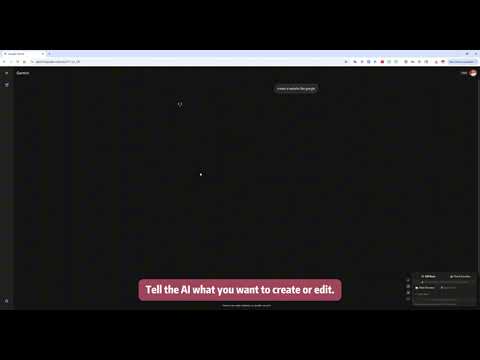
Gemini Canvas editing upgrade | VS Code-style visual Diff, change-safety, local sync
Gemlens: AI Editor Enhancement Extension for everyone, bringing an enhanced editing experience to Gemini web (Canvas mode). 👉 It provides: ✔️One-click line-level Diff: quickly compare before/after AI changes, highlight additions/deletions/edits for easy review and rollback. ✔️Multi-platform support: Gemini Canvas mode already supported; ChatGPT Canvas (planned) and Claude Code (planned) in continuous rollout. ✔️Multi-editor compatibility: auto-detects common code/document editors for a consistent Diff experience. ✔️Seamless embedding: Diff view sits in the original editor area without covering or breaking layout. ✔️Local Workspace sync: after authorization, writes online content to a local directory—no manual copy/paste. ✔️Robust on complex pages: handles nested/special DOM structures to reliably capture content. ✔️Status indicator: UI shows the detected editor/mode so you can confirm the current state. 👉 Typical pain-point scenarios (Gemini web): 📌 When you ask AI to modify a code file on the Gemini web page: 1) AI may accidentally delete your new or existing content. 2) AI may change logic in other modules without you noticing. 3) In very long docs, AI can miss or remove content and you might not see it. 📌 Saving to local on Gemini web normally requires manual copy; Gemlens enables local sync to skip manual copying. ✔️These pain points are why the extension exists: use Gemini web like a native editor—no fear of silent deletions, no manual content shuttling. 👉 Vision: Make the web-based Gemini (and other AI editors) experience feel as close as possible to a native editor. Deliver native-like smoothness and continuity across platforms so online AI collaboration feels as handy as local development. 👉 Who it’s for: Developers: review AI-generated code, spot risks, compare versions. Writers/teams: compare rewrites to avoid mistakes and omissions. Multi-platform users: keep a consistent Diff experience on Gemini / ChatGPT / Claude Code (planned).
5 out of 51 rating
Details
- Version1.1.0
- UpdatedDecember 29, 2025
- Offered byRGBMind Studio
- Size153KiB
- Languages21 languages
- Developer
Email
mrkizy@gmail.com - Non-traderThis developer has not identified itself as a trader. For consumers in the European Union, please note that consumer rights do not apply to contracts between you and this developer.
Privacy

This developer declares that your data is
- Not being sold to third parties, outside of the approved use cases
- Not being used or transferred for purposes that are unrelated to the item's core functionality
- Not being used or transferred to determine creditworthiness or for lending purposes