


Overview
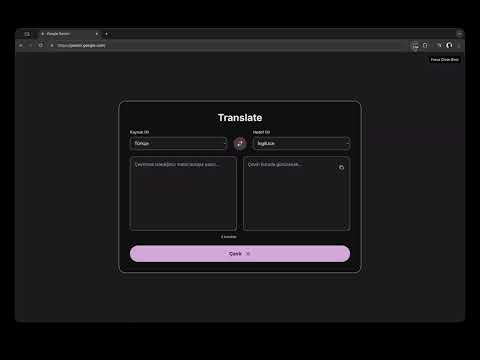
Hides unnecessary UI elements and expands the iframe on Gemini pages to maximize the form or iframe area.
Gemini Wide Canvas (Focus Mode) is a Chrome extension that reduces distractions on Gemini and expands the usable workspace. ### What It Does - Toggles Focus Mode on/off when the extension icon is clicked. - Hides top bar, navigation, and side panels in Focus Mode. - Expands the main content area to full width. - Detects the largest visible `iframe` and brings it into a full-viewport focus layout. - Adds a small close button (`Focus kapat (Esc)`) and supports closing with the `Esc` key. - Persists state with `chrome.storage.sync` and shows `ON` badge text when enabled. - Keeps focus behavior stable during Gemini SPA transitions by observing DOM updates. ### How It Works (Technical Flow) 1. User clicks the extension action icon. 2. `background.js` toggles `gemini_focus_enabled` in `storage.sync`. 3. `background.js` sends `GEMINI_FOCUS_SET` to the active tab. 4. `content.js` receives the message and enables/disables Focus Mode. 5. `styles.css` applies layout overrides and iframe focus styling. ### Permissions - `storage`: stores Focus Mode state. - `host_permissions`: runs only on `https://gemini.google.com/*`. ### Privacy - No user data collection. - No data transmission to external servers. - Only visual/layout adjustments on Gemini pages.
5 out of 55 ratings
Details
- Version1.0.1
- UpdatedFebruary 15, 2026
- Size71.91KiB
- LanguagesEnglish
- Developer
- Non-traderThis developer has not identified itself as a trader. For consumers in the European Union, please note that consumer rights do not apply to contracts between you and this developer.
Privacy

This developer declares that your data is
- Not being sold to third parties, outside of the approved use cases
- Not being used or transferred for purposes that are unrelated to the item's core functionality
- Not being used or transferred to determine creditworthiness or for lending purposes
Support
For help with questions, suggestions, or problems, visit the developer's support site