

Gemini Auto-Scroll Killer
ExtensionTools11 users

Overview
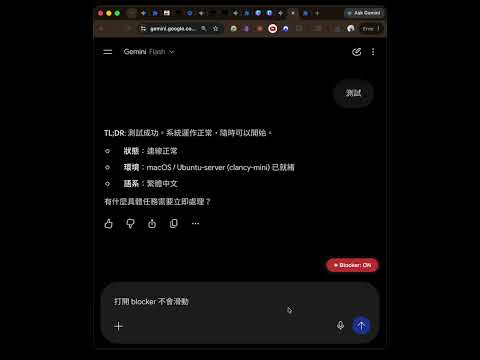
強行阻斷 Gemini 的自動捲動,並提供右下角極簡控制面板切換狀態與一鍵置底
Disable the auto-scroll in Gemini so you can read smoothly. It won't interrupt, and it has a little panel that you can switch on and off very conveniently, so you can change it anytime without disabling the extension.
0 out of 5No ratings
Details
- Version1.0
- UpdatedJune 19, 2026
- Size21.03KiB
- LanguagesEnglish
- Developer
Email
tkicorp@gmail.com - Non-traderThis developer has not identified itself as a trader. For consumers in the European Union, please note that consumer rights do not apply to contracts between you and this developer.
Privacy

Manage extensions and learn how they're being used in your organization
The developer has disclosed that it will not collect or use your data. To learn more, see the developer’s privacy policy.
This developer declares that your data is
- Not being sold to third parties, outside of the approved use cases
- Not being used or transferred for purposes that are unrelated to the item's core functionality
- Not being used or transferred to determine creditworthiness or for lending purposes