Item logo image for Gem

Gem

gem.com
4.3(

12 ratings

)
Item media 2 (screenshot) for Gem
Item video thumbnail
Item media 2 (screenshot) for Gem
Item video thumbnail
Item media 2 (screenshot) for Gem

Overview

Gem helps recruiting teams use data and automation to engage talent, build high-quality pipelines, and hire predictably at scale.

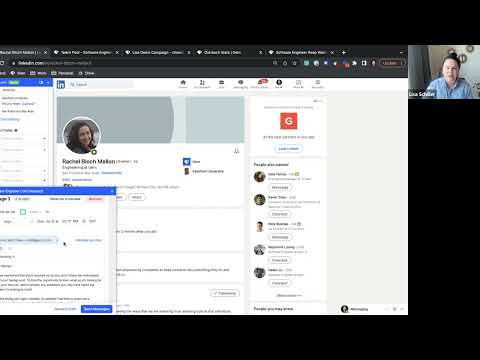
Recruiting teams use Gem’s Chrome extension to: - Add talent profiles to Gem from LinkedIn, Indeed, or other social networks - See all talent interactions in one place - Find any email address - Upload candidate information to your ATS - Send sequences and automate follow-ups Gem unifies data and context from the tools recruiters use every day, including email, applicant tracking systems, LinkedIn, and other social networks, to create a source of truth for all talent relationships. Armed with insights about the entire recruiting process, automation to reach out to talent at scale, and true cross-functional collaboration tools, TA teams can proactively and strategically plan for what’s ahead. Gem's customers are savvy recruiting teams from industry-leading companies — like Dropbox, Grammarly, DoorDash, Cisco, McDonalds — who understand that hiring the best talent in the market is key to maintaining their competitive advantage. If you've somehow discovered our Chrome extension without talking to us first -- please visit https://www.gem.com to schedule a demo or for more information.

Details

  • Version
    2.0.21
  • Updated
    February 4, 2026
  • Size
    898KiB
  • Languages
    English (United States)
  • Developer
    Gem Software Inc.
    1 Post Street Suite 1800 San Francisco, CA 94104 US
    Website
    Email
    info@gem.com
    Phone
    +1 415-209-5485
  • Trader
    This developer has identified itself as a trader per the definition from the European Union and committed to only offer products or services that comply with EU laws.

Privacy

Gem has disclosed the following information regarding the collection and usage of your data. More detailed information can be found in the developer's privacy policy.

Gem handles the following:

Personally identifiable information
Personal communications
Location
Web history
User activity
Website content

This developer declares that your data is

  • Not being sold to third parties, outside of the approved use cases
  • Not being used or transferred for purposes that are unrelated to the item's core functionality
  • Not being used or transferred to determine creditworthiness or for lending purposes

Related

Save to Pinterest

3.5

Save ideas to Pinterest.

AI Grammar Checker & Paraphraser – LanguageTool

4.7

Instantly Enhance Your Texts with LanguageTool’s Grammar Checker and Paraphrasing Tool

Free Download Manager

4.2

Free Download Manager integration with browser

Screen Recorder

3.8

Record a video from the camera or capture it from the screen (desktop, specific application window or browser tab)

Adobe Acrobat: PDF edit, convert, sign tools

4.4

Do more in Google Chrome with Adobe Acrobat PDF tools. View, fill, comment, sign, and try convert and compress tools.

Adblock Plus - free ad blocker

4.4

Remove ads on YouTube and everywhere else you browse.

Chrome Remote Desktop

3.1

Chrome Remote Desktop extension

Screencastify - Screen Video Recorder

3.9

An easy-to-use screen recorder for your browser. Capture, edit and share videos in seconds.

Zoom Chrome Extension

3.9

Schedule Zoom meetings directly from Google Calendar

Google Keep Chrome Extension

4.0

Save to Google Keep in a single click!

Office Editing for Docs, Sheets & Slides

3.7

View and edit Microsoft Word, Excel, and PowerPoint files with Google Docs, Sheets, and Slides

Avira Browser Safety

4.1

Your surfing made private and secure

Save to Pinterest

3.5

Save ideas to Pinterest.

AI Grammar Checker & Paraphraser – LanguageTool

4.7

Instantly Enhance Your Texts with LanguageTool’s Grammar Checker and Paraphrasing Tool

Free Download Manager

4.2

Free Download Manager integration with browser

Screen Recorder

3.8

Record a video from the camera or capture it from the screen (desktop, specific application window or browser tab)

Adobe Acrobat: PDF edit, convert, sign tools

4.4

Do more in Google Chrome with Adobe Acrobat PDF tools. View, fill, comment, sign, and try convert and compress tools.

Adblock Plus - free ad blocker

4.4

Remove ads on YouTube and everywhere else you browse.

Chrome Remote Desktop

3.1

Chrome Remote Desktop extension

Screencastify - Screen Video Recorder

3.9

An easy-to-use screen recorder for your browser. Capture, edit and share videos in seconds.

Google apps