


Overview
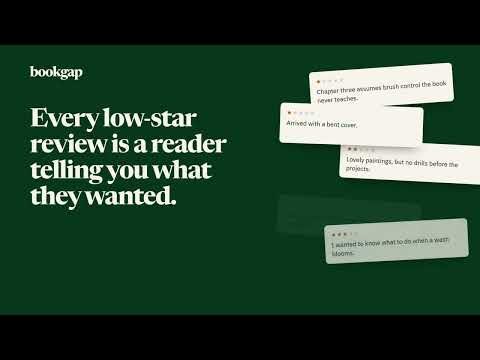
Turns a competing book's low-star Amazon reviews into a brief for a better book.
BookGap is research for Amazon KDP authors and publishers. Open a competing book on Amazon, click Analyze, and BookGap reads the book's one-, two- and three-star reviews and writes the brief for the book those readers wanted. Each report opens with a short overview, then three parts you can switch between: • Complaints: what readers disliked about the book itself, such as missing depth, unclear explanations, pacing or structure. Each point says how many reviews stand behind it. • Market gaps: the examples, outcomes and explanations readers expected and didn't find, plus what a new book could own. • Better book: positioning, the reader it is for, what it does differently, and a chapter outline where every chapter says what it fixes. Save any report as a PDF with one click, to keep it or share it with a co-author. BookGap judges the book, not the box. Reviews about shipping, packaging, Amazon's service or damage in transit are set aside by a dedicated classifier, so they don't distort the report. HOW IT WORKS 1. Open a book's page on Amazon. 2. Click BookGap in Chrome's toolbar or Extensions menu, then "Open BookGap panel". 3. Click "Analyze low-star reviews". The report appears in Chrome's side panel, next to the book, and stays there while you look at other tabs. FREE EARLY ACCESS • Every report section is free during early access. • Up to 15 analyses a day when you sign in with Google, and a smaller allowance without an account. It resets at 00:00 UTC. • Signing in is optional. BookGap asks Google only for an account number: it never receives your email address, name or password. • No payment. Failed analyses don't use your allowance. RESPECTFUL OF AMAZON, AND OF YOU • BookGap reads reviews only when you click Analyze, in your own browser, at a human pace. If Amazon shows a captcha or limits requests, BookGap stops and pauses instead of pushing through. • Reviewer names, profile links and avatars are not collected. • To write the report, the book's details and the review text are sent to BookGap's server, to a model that sorts book complaints from parcel complaints, and to a paid AI service that writes the report. Neither AI service receives anything that identifies you or your Google account. Raw review text is not stored. Reports are kept for 24 hours, so a retry doesn't cost you a second analysis, and then deleted. • No ads, no analytics, and no record of your browsing. Reports are AI-generated research suggestions. They can be incomplete or wrong, so verify important claims before you write. BookGap is independent and is not affiliated with or endorsed by Amazon. Privacy policy: https://bookgap.app/privacy.html Feedback: contact@bookgap.app
0 out of 5No ratings
Details
- Version0.4.0
- UpdatedSeptember 27, 2026
- Size157KiB
- LanguagesEnglish
- DeveloperWebsite
Email
contact@bookgap.app - Non-traderThis developer has not identified itself as a trader. For consumers in the European Union, please note that consumer rights do not apply to contracts between you and this developer.
Privacy

BookGap has disclosed the following information regarding the collection and usage of your data. More detailed information can be found in the developer's privacy policy.
BookGap handles the following:
This developer declares that your data is
- Not being sold to third parties, outside of the approved use cases
- Not being used or transferred for purposes that are unrelated to the item's core functionality
- Not being used or transferred to determine creditworthiness or for lending purposes
Support
For help with questions, suggestions, or problems, please open this page on your desktop browser