

TextsBert: Smart Auto Fill Assistant

Overview
Smart and magical autofill for websites and PDF forms. Save reusable info, fill from copied text, and keep control locally.
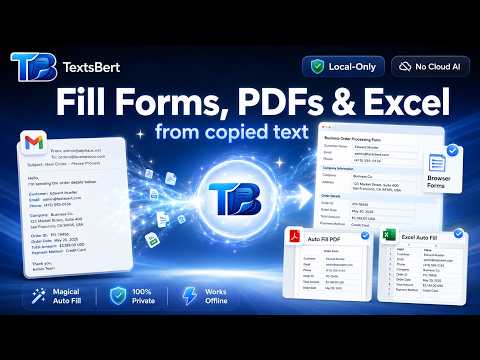
TextsBert helps you fill browser forms, PDFs, and Excel-style documents from copied text, saved details, and reusable snippets, while keeping the fill path local-only. Copy an email, order request, customer message, invoice details, or any set of data. TextsBert reads the information in your browser, prepares the fill, lets you review what will happen, and then fills the right fields when you trigger it. No cloud AI decides what goes where. TextsBert is built for controlled, reviewable autofill: you stay in charge, and forms are never submitted automatically. What TextsBert can do Smart Auto Fill Save your details once and fill common browser forms faster, with better context than basic browser autofill. Magical Auto Fill Copy a full message or email instead of copying values one by one. TextsBert can extract names, emails, phone numbers, addresses, order details, billing details, delivery details, and more. PDF Auto Fill Fill compatible PDF forms from copied text and saved profiles without sending the document to cloud AI for processing. Excel Auto Fill Move repeated business details into Excel-style sheets and document workflows with less manual typing. Profiles and Snippets Store reusable identities, business details, addresses, templates, and repeated text so you can fill faster across daily work. Review before filling Preview the planned fill, correct details when needed, and trigger the fill only when you are ready. Built for privacy and control TextsBert’s fill path is local-only. Copied text, visible form content, saved fill data, PDFs, and Excel files are not sent to cloud AI for fill decisions. Internet access is used only for separate product functions such as account sign-in, plan status, billing, optional encrypted Sync, and website handoff features. TextsBert does not auto-submit forms. Good for customer emails and order requests admin forms and internal tools CRM/contact entry service and booking requests PDF forms Excel-style document workflows repeated support, operations, finance, and office tasks TextsBert is made for people who move information from messages into forms all day and want it done faster, with less copy-paste chaos and more control.
4.8 out of 59 ratings
Details
- Version1.0.8.49
- UpdatedSeptember 11, 2026
- FeaturesOffers in-app purchases
- Size7.41MiB
- Languages8 languages
- DeveloperMohammad HizaWebsite
Hauptstraße 282 Herne 44649 DEEmail
admin@textsbert.comPhone
+49 1521 6428516 - TraderThis developer has identified itself as a trader per the definition from the European Union and committed to only offer products or services that comply with EU laws.
Privacy

TextsBert: Smart Auto Fill Assistant has disclosed the following information regarding the collection and usage of your data. More detailed information can be found in the developer's privacy policy.
TextsBert: Smart Auto Fill Assistant handles the following:
This developer declares that your data is
- Not being sold to third parties, outside of the approved use cases
- Not being used or transferred for purposes that are unrelated to the item's core functionality
- Not being used or transferred to determine creditworthiness or for lending purposes
Support
For help with questions, suggestions, or problems, please open this page on your desktop browser