

Soundverse Computer Use Extension
1 rating
)
Overview
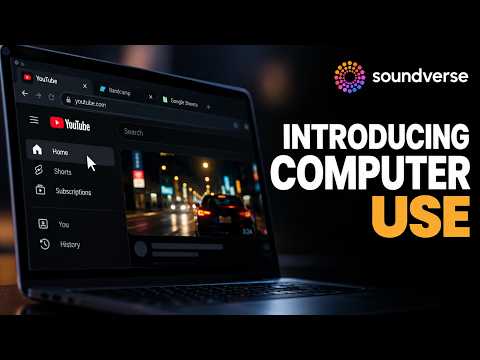
Let Soundverse's AI agent use your browser for music tasks: upload tracks, check releases and fill forms, in its own window.
Soundverse Computer Use lets Soundverse's AI music agent, Agent One, do web tasks for you in your own Chrome browser, signed in as you, instead of on a server. What the agent can do with it • Upload a finished track to SoundCloud or YouTube • Check your release status across streaming platforms and distributors • Fill in playlist, label and contest submission forms • Find contact details for curators, venues and collaborators • Research references for your next release How it works • Link the extension to your Soundverse account once, from Soundverse → Settings → Connected Accounts. The extension asks you to confirm in its own window. • When you ask the agent for a web task in Soundverse, it opens its own window in your browser. Your other tabs and windows are never touched. • The icon shows ON while the agent is working, and the popup shows what it is working on. Press Stop in the popup, or Cancel on the browser's debugging bar, to stop it at once. Safety • The agent can never sign you out of your accounts. • Before it deletes an account, cancels a subscription, or pays or places an order, it stops and asks you in Soundverse. Nothing happens until you say yes. • Your cookies and saved passwords are never read. • You can unlink this browser from Soundverse at any time. About Soundverse Soundverse is an AI music platform: generate full songs with vocals, split stems, clone your voice with consent, edit in a multitrack AI Studio and distribute, all in one place. Free to start at soundverse.ai.
5 out of 51 rating
Details
- Version0.6.2.1
- UpdatedOctober 27, 2026
- Offered bySoundverse
- Size58.52KiB
- LanguagesEnglish
- DeveloperSoundverse Inc.
651 N Broad St Suite 201, New Castle Middletown, DE 19709 USEmail
sourabh@soundverse.aiPhone
+91 90221 92660 - TraderThis developer has identified itself as a trader per the definition from the European Union and committed to only offer products or services that comply with EU laws.
- D-U-N-S119212691
Privacy

Soundverse Computer Use Extension has disclosed the following information regarding the collection and usage of your data. More detailed information can be found in the developer's privacy policy.
Soundverse Computer Use Extension handles the following:
This developer declares that your data is
- Not being sold to third parties, outside of the approved use cases
- Not being used or transferred for purposes that are unrelated to the item's core functionality
- Not being used or transferred to determine creditworthiness or for lending purposes