Item logo image for GCam Port Finder

GCam Port Finder

Item media 2 (screenshot) for GCam Port Finder
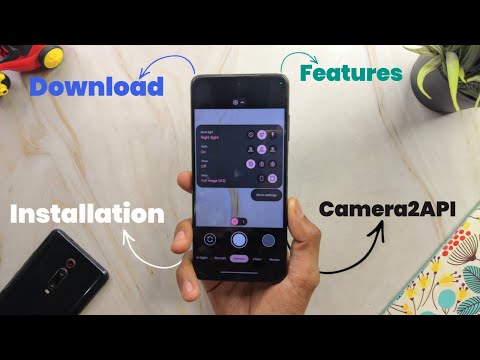
Item video thumbnail
Item media 2 (screenshot) for GCam Port Finder
Item video thumbnail
Item media 2 (screenshot) for GCam Port Finder

Overview

Find GCam Port for your device model

If you are in need of a compatible GCam Port for your device, we recommend utilizing our extension.

Details

  • Version
    1.1
  • Updated
    April 14, 2024
  • Size
    23.46KiB
  • Languages
    English (United States)
  • Developer
    Website
    Email
    contact@gcamapk.io
  • Non-trader
    This developer has not identified itself as a trader. For consumers in the European Union, please note that consumer rights do not apply to contracts between you and this developer.

Privacy

The developer has disclosed that it will not collect or use your data. To learn more, see the developer’s privacy policy.

This developer declares that your data is

  • Not being sold to third parties, outside of the approved use cases
  • Not being used or transferred for purposes that are unrelated to the item's core functionality
  • Not being used or transferred to determine creditworthiness or for lending purposes

Support

Related

Stop Motion Animator

2.6

Make Stop Motion videos using your webcam

Screen & Webcam recorder - Flonnect

4.7

Allows Screen Recording from your Webcam and Desktop

OPTIC - Webcam Control and Optimization

5.0

An extension to control and configure hardware settings of webcams from Chrome on Windows

FrameGrab

4.3

Tools for Video Frame Capture

CompanyCam

4.2

Get access to your CompanyCam photos from any web site

CCTV View

3.5

Watch up to 20 webcams or CCTV cams within your browser.

CamScanner Extension

5.0

Extension CamScanner.

Meeting Controls for stream deck

5.0

Control Google Meet from your stream deck

Screen Recorder

3.8

Record a video from the camera or capture it from the screen (desktop, specific application window or browser tab)

Webcam Recorder

5.0

Record WebM video from your webcam, record audio from your microphone, and optionally take screenshots.

Camera Picture In Picture (PIP Overlay)

4.3

Put your camera on top of any other applications in picture-in-picture mode

Camera

3.5

A camera app that allows you to take photos and selfies, record videos and GIF animations from a webcam.

Stop Motion Animator

2.6

Make Stop Motion videos using your webcam

Screen & Webcam recorder - Flonnect

4.7

Allows Screen Recording from your Webcam and Desktop

OPTIC - Webcam Control and Optimization

5.0

An extension to control and configure hardware settings of webcams from Chrome on Windows

FrameGrab

4.3

Tools for Video Frame Capture

CompanyCam

4.2

Get access to your CompanyCam photos from any web site

CCTV View

3.5

Watch up to 20 webcams or CCTV cams within your browser.

CamScanner Extension

5.0

Extension CamScanner.

Meeting Controls for stream deck

5.0

Control Google Meet from your stream deck

Google apps