


Overview
Archive webpage with Archive Today
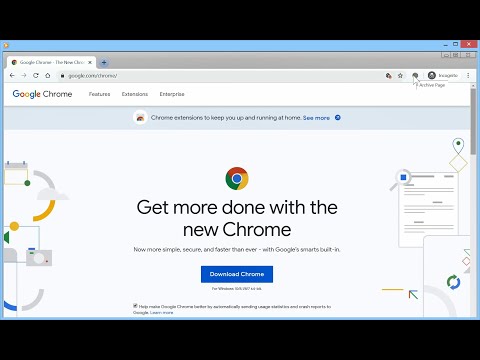
Adds a button to the Chrome toolbar. When clicked, it sends the URL of the current tab to Archive Today to preserve a snapshot of the page, and opens the result in a new tab. ✅ Direct action Shortcuts (with optional Tabs permission) ✅ Customizable Toolbar Button Choose your preferred action for the toolbar icon: • Dropdown Menu: Quick access to Search, Archive, and Options. • Direct Search: Instantly search the current page URL. • Direct Archive: Instantly archive the current page. Features: • Archive Today Integration: Sends the current tab URL to Archive Today to preserve a snapshot and opens the result in a new tab. • Context Menus: Includes Link context menu to Archive or Search, and a Page context menu to Search. • Customizable Behavior: Options to control if the new tab opens adjacent to the current tab, at the end of the tab strip, or replaces the current tab (archive only). • Tab Activation: Control whether new Archive or Search tabs are activated immediately. • HTTPS Security: Uses HTTPS for all archival and search transmissions. • Keyboard Shortcuts: A custom shortcut can be created to archive the current page instantly. (Archive Today is a time capsule for web pages. It takes a 'snapshot' of a webpage that will always be online even if the original page disappears. It saves a text and a graphical copy of the page for better accuracy and provides a short and reliable link to an unalterable record of the web page.) Consent: By using this extension, you consent to sharing your Archive or Search URL with Archive Today when initiated by you. This extension does not otherwise collect or share any user data. Notes: 1. If you get an error, try again later. It's NOT an extension issue—Archive Today sometimes gets overwhelmed. 2. CloudFlare DNS may not resolve Archive Today; if you experience DNS errors, try a different DNS server (e.g., Quad9). 3. For similar functionality on Android, check out Share2Archive in the Play Store. What's New in 1.6.3: * Fix rare menu race condition. * Improve Options screen. What's New in 1.6.1: * Verify limited permissions update. What's New in 1.6.0: * Restore more limited permissions! What's New in 1.5.1: * Fix Activate Option * Fix Startup Options What's New in 1.5.0: * Direct action Shortcuts (with optional Tabs permission) * Squash some small bugs. Disclaimers: • Use at your own risk. No liability is accepted for any loss or damage. • This extension is not affiliated with Archive Today. • Trademarks are the properties of their respective owners.
4.1 out of 5146 ratings
Details
- Version1.6.3
- UpdatedJune 1, 2026
- Offered byJohn Navas
- Size62.21KiB
- LanguagesEnglish (United States)
- Developer
Email
jn2@navasgroup.com - Non-traderThis developer has not identified itself as a trader. For consumers in the European Union, please note that consumer rights do not apply to contracts between you and this developer.
Privacy

This developer declares that your data is
- Not being sold to third parties, outside of the approved use cases
- Not being used or transferred for purposes that are unrelated to the item's core functionality
- Not being used or transferred to determine creditworthiness or for lending purposes
Support
For help with questions, suggestions, or problems, visit the developer's support site