

Chatalbum - WhatsApp Chat Export to PDF & Excel

Overview
Save any WhatsApp Web chat as a readable file with its photos and voice notes. Everything stays in your browser.
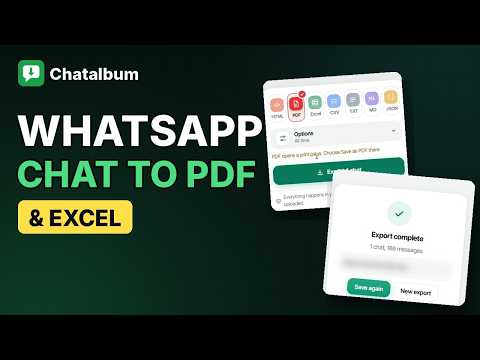
Turn any WhatsApp Web chat into a clean, searchable file you keep. Your conversations hold things you may need later: an agreement, an address, a family photo, a voice note from someone you miss. WhatsApp gives you no simple way to save them on a computer. Chatalbum adds a side panel next to WhatsApp Web, reads the chats you pick, and saves each one as a readable document with its photos, videos and voice messages. HOW IT WORKS 1. Open WhatsApp Web and sign in as usual. 2. Click the Chatalbum icon. Your chats appear with their profile pictures. 3. Tick the chats you want. Search by name or number, or switch between chats and groups. 4. Choose the file types, decide whether to include media, and press Export. One chat becomes one file. Several chats become one ZIP with a start page and a short report. FILE TYPES • HTML: opens in any browser and looks like the chat you know. It has a search box, a sender filter and a statistics panel, and works offline. • PDF: a print-ready layout. Choose "Save as PDF" in the print window. Arabic, Chinese and emoji print correctly. • Excel: one row per message, plus a second sheet with totals, busiest day and who wrote how much. • More formats for spreadsheets, archives, notes and developers, including a TXT file that follows the layout of WhatsApp's own export. WHAT IS KEPT Replies, forwarded messages, reactions, locations, polls, contact cards, stickers, starred messages and the "this message was deleted" marker are saved. Photos, videos, voice messages and documents go into a media folder inside the ZIP. A file that was forwarded many times is stored once. You can pause, resume or cancel a long export, and limit it to a date range. GROUPS AND PEOPLE Add a member list (name, phone number, role) for any group. The Contacts tab saves your saved contacts, the people you chat with, or the members of all your groups as CSV, Excel or vCard, ready to import on a phone. OLDER CHATS: THE CONVERT TAB WhatsApp Web only holds the history that your phone sent it when you linked the computer, usually the last few months. For anything older, use "Export chat" on your phone, then drop the .txt or .zip file into the Convert tab. Chatalbum turns it into the same HTML, PDF and Excel files, and the other formats, including the photos from a ZIP. It detects day-first or month-first dates, and you can tell it which person you are. This tab works without WhatsApp Web. BEFORE YOU START • Keep the WhatsApp Web tab open while exporting. • Media that WhatsApp has already removed from its servers cannot be downloaded. The report lists what is missing. • Very large chats take longer. A date range keeps PDF files a sensible size. • If Excel shows everything in one column, switch the CSV separator to semicolon in Options. PRIVACY Everything happens inside your browser. There is no account and no sign-in. Your messages, media and contacts are never uploaded. Chatalbum only reads: it never sends, edits or deletes a message. Chatalbum is an independent extension. It is not affiliated with, endorsed by, sponsored by, or in any way officially connected to WhatsApp LLC, Meta Platforms, Inc., or any of their subsidiaries or affiliates. "WhatsApp" and related names, marks and logos are trademarks of their respective owners and appear here only to describe what this extension works with.
5 out of 58 ratings
Details
- Version0.1.0
- UpdatedNovember 18, 2026
- Size254KiB
- Languages52 languages
- DeveloperWebsite
Email
yasininprofili@gmail.com - Non-traderThis developer has not identified itself as a trader. For consumers in the European Union, please note that consumer rights do not apply to contracts between you and this developer.
Privacy

Chatalbum - WhatsApp Chat Export to PDF & Excel has disclosed the following information regarding the collection and usage of your data. More detailed information can be found in the developer's privacy policy.
Chatalbum - WhatsApp Chat Export to PDF & Excel handles the following:
This developer declares that your data is
- Not being sold to third parties, outside of the approved use cases
- Not being used or transferred for purposes that are unrelated to the item's core functionality
- Not being used or transferred to determine creditworthiness or for lending purposes
Support
For help with questions, suggestions, or problems, visit the developer's support site