

Dusk for Chrome: Automatic Dark Mode

Overview
Dark mode for websites that have none, following your system. Per-site control. No account or analytics.
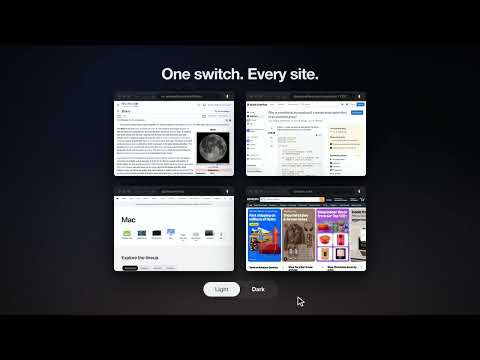
Dusk for Chrome keeps websites in step with your computer. When your computer is dark, websites with no dark mode turn dark. When it is light, they go back to normal. Many sites still have no dark mode. At night they are a white rectangle in an otherwise dark screen. Dusk fixes exactly that, and nothing more: • Follows your system. When your computer switches to dark, light-only sites darken. When it switches back to light, they return to normal. No button to press. • Recognizes matching pages. When Dusk detects a site's own matching dark or light theme, it leaves that page alone. • Checks late changers. Some sites switch their own theme a moment after your computer does. Dusk checks again and can correct the page without a reload. Complex pages may still need a refresh or a site override. • Tries to keep photos and video natural while recolouring pages. Some images or embeds may still look wrong. • Your rules per site. Keep one site always dark, another always light, or switch Dusk off for a site that looks wrong. One click in the popup. • Works the other way too. In Follow system, Dusk can lighten a dark-only site when your computer is light. Or request light for one site yourself. • One-click rescue. "Restore this website" switches Dusk off for a site that looks wrong, with an Undo. • Optional "Preserve colors". Focuses on neutral backgrounds and text to help keep colourful surfaces, photos and charts legible. Standard stays the default. • Problem report you control. Preview a short report (version, mode, renderer), copy it if you want to. Dusk never sends it anywhere. • Private by design. No account or analytics. Appearance analysis stays in your browser; image classification can rerequest an image URL from its existing host. How it works: Dusk looks at the page's visual properties to decide whether it is already dark. If it is light and your system is dark, Dusk asks the browser to invert the page's colours while it paints, then tries to restore photos and video. It does not capture your screen. Some pages may briefly flash or need a site override. What Dusk stores, only in your browser: your mode, your per-site choices, and two lists of up to 300 hostname/appearance entries each (known light and known dark) to help avoid a white flash on repeat visits. Sites are not remembered in Incognito. "Forget remembered sites" in the popup clears both lists. Known limits: pages that use colour to carry meaning, such as charts, maps and photo editors, can look wrong when inverted. Switch Dusk off for that site in the popup.
0 out of 5No ratings
Details
- Version0.2.5
- UpdatedOctober 29, 2026
- Size275KiB
- Languages2 languages
- Developer
Email
duskformac@gmail.com - Non-traderThis developer has not identified itself as a trader. For consumers in the European Union, please note that consumer rights do not apply to contracts between you and this developer.
Privacy

Dusk for Chrome: Automatic Dark Mode has disclosed the following information regarding the collection and usage of your data. More detailed information can be found in the developer's privacy policy.
Dusk for Chrome: Automatic Dark Mode handles the following:
This developer declares that your data is
- Not being sold to third parties, outside of the approved use cases
- Not being used or transferred for purposes that are unrelated to the item's core functionality
- Not being used or transferred to determine creditworthiness or for lending purposes