


Overview
Watch live streams from the platforms you choose, together, in one player.
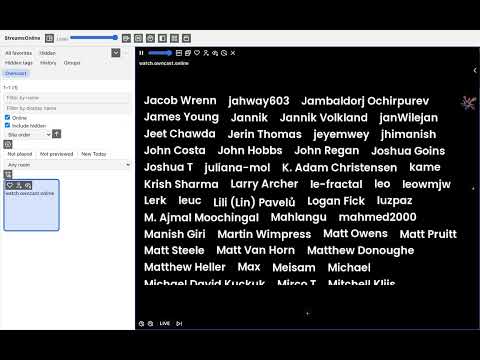
Watch live streams from the platforms you choose, together, in one player. Arrange a grid of cells and play a live stream in each, side by side, in the extension's own player. Get started in a short setup. Press the extension's toolbar button, and a setup wizard shows the available plugins. One press of Install adds a plugin and its servers. Setup then creates a free streamsonline account, or signs in to one, which keeps your favorites, settings and history. It ends with a stream playing. Choose your sources at any time in the extension's settings: Available plugins lists each plugin, with whether it is installed and a button to install or remove it. A plugin can also be installed from the page its publisher offers it on, by pressing the extension's toolbar button there. A plugin for self-hosted software, such as Owncast, plays the servers you add to it in Sources. Browse the rooms each platform lists and see which are live. Keep a list of favorite streams across platforms, and see which of them are live. Some plugins let you create an account on their platform through StreamsOnline. StreamsOnline then takes part in that platform's referral program and may be credited for your sign-up. It asks you before it replaces a referral the platform already holds for your browser. The plugins and servers you install and add are kept in your own browser. Your streamsonline account keeps your favorites, settings and history on the streamsonline hub.
0 out of 5No ratings
Details
- Version0.1.0
- UpdatedNovember 13, 2026
- Size1.13MiB
- LanguagesEnglish
- DeveloperStrongAI LLCWebsite
9323 Guernsey Lane Dallas, TX 75220 USEmail
support@streamsonline.livePhone
+1 214-543-4678 - TraderThis developer has identified itself as a trader per the definition from the European Union and committed to only offer products or services that comply with EU laws.
- D-U-N-S080470392
Privacy

StreamsOnline has disclosed the following information regarding the collection and usage of your data. More detailed information can be found in the developer's privacy policy.
StreamsOnline handles the following:
This developer declares that your data is
- Not being sold to third parties, outside of the approved use cases
- Not being used or transferred for purposes that are unrelated to the item's core functionality
- Not being used or transferred to determine creditworthiness or for lending purposes
Support
For help with questions, suggestions, or problems, visit the developer's support site