

Smart NotebookLM Importer
2 ratings
)
Overview
Import web content, selections, and YouTube transcripts directly into Google NotebookLM.
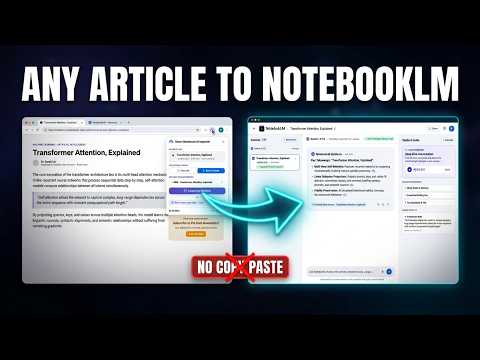
Turn anything you read or watch into a NotebookLM source — in one click, without copy-paste. Smart NotebookLM Importer takes the page you are on — an article, a documentation page, a blog post, a YouTube video, or a passage you highlighted — cleans it up, and drops it straight into the Google NotebookLM notebook you choose. No tab juggling, no formatting mess. HOW IT WORKS 1. Open the article, doc, or YouTube video you want to keep. 2. Click the extension icon (or right-click for link, page, and selection imports). 3. Choose your mode — Smart Reader or Fast Link — and the destination notebook. 4. Hit "Create New Notebook" or "Add to Notebook" and the content appears in NotebookLM as a ready-to-use source. WHAT YOU CAN DO 📄 SMART READER — clean article extraction Strips ads, navigation, cookie banners, and boilerplate, then converts the page into structured Markdown: headings, tables, code blocks, quotes, and images preserved, plus an optional metadata header (title, source URL, author, publication). Research material, not raw HTML soup. 🔗 FAST LINK — instant URL import Adds the current page as a "Website" source in one click — for when you just want NotebookLM to read the original. ✍️ HIGHLIGHT CAPTURE Select any passage and the popup offers a one-tap "Add Selection" — your quote lands in the notebook together with its source link. Right-click menu commands included. ▶️ YOUTUBE TRANSCRIPTS Open any YouTube video (including Shorts) and import the full timestamped transcript as a source — ideal for lectures, interviews, and deep dives. 🗂️ BATCH IMPORT OPEN TABS Research sessions leave a mess of tabs. Open the batch panel, tick the pages you want (or select all), and import them all into one notebook in a single run. 🎯 SMART DESTINATION The extension detects the notebook you are already working in and sends content there — or creates a new notebook, named after the page you are importing. WHY IT FEELS FAST - Imports run in the background — no tab hijacking, no interruptions. - Everything lives in one compact popup: mode, destination, batch, and daily quota. - Press Enter to import. That is the whole workflow. FREE & PRO Free — 10 imports per day, per device. Enough for everyday reading. Pro — optional one-time purchase via Creem, no subscription: - Annual: $15 for 12 months of Pro - Lifetime: $45 — Pro forever Both unlock unlimited daily imports on up to 3 devices. Activate with a license key in Settings — no account required. PRIVACY FIRST - Extraction and Markdown conversion run entirely in your browser — no vendor servers, no analytics, no tracking. - Your content goes only where you send it: your own Google NotebookLM account. - The only off-device request is the optional Pro license check (your license key plus a random device ID, sent to Creem.io through a secure proxy) when you activate or re-validate a purchase. GOOD TO KNOW - Built for Google Chrome (Manifest V3) and Firefox. - You need to be signed in to Google NotebookLM for imports to land. - NotebookLM is a Google service. This extension is an independent tool and is not affiliated with, endorsed by, or sponsored by Google.
5 out of 52 ratings
Details
- Version1.2.1
- UpdatedOctober 27, 2026
- FeaturesOffers in-app purchases
- Offered byMT5Run
- Size149KiB
- LanguagesEnglish
- DeveloperNguyễn Nhật Minh Tú
Hoang Van Thu, Hoang Mai 34A Hoang Văn Thu, Hoang Mai, Hà Nội 100000 VNEmail
support@mt5run.comPhone
+84 393 987 897 - TraderThis developer has identified itself as a trader per the definition from the European Union and committed to only offer products or services that comply with EU laws.
Privacy

This developer declares that your data is
- Not being sold to third parties, outside of the approved use cases
- Not being used or transferred for purposes that are unrelated to the item's core functionality
- Not being used or transferred to determine creditworthiness or for lending purposes
Support
For help with questions, suggestions, or problems, please open this page on your desktop browser