

Galviq Event Saver

Overview
Save business events, auto-fill event details, extract public contacts and add events to calendars.
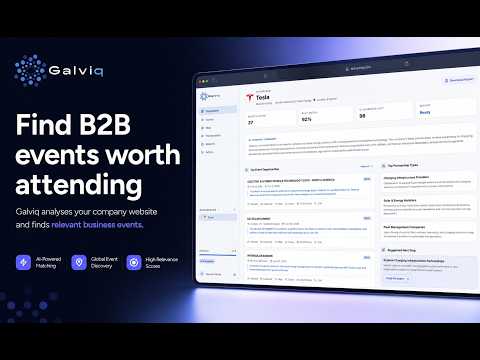
Galviq Event Saver helps founders, sales teams, marketers and business developers save useful business events directly from the browser. When you find a conference, trade show, expo, summit or networking event, click the Galviq icon and save the page. The extension can automatically detect available event information from the active page, including event name, date, city, venue, email addresses, phone numbers and social links when those details are publicly visible on the page. You can keep your saved events organized, open them later, export them as CSV, download a calendar file, or open a prefilled Google Calendar or Outlook Calendar event. Main features: - Save business event pages from the browser - Auto-fill event name, date, city and venue when available - Extract public email, phone and social links from the active page - Add events to Google Calendar or Outlook Calendar - Export saved events as CSV - Export saved events to calendar - Local-first and simple Privacy: Galviq Event Saver reads only the active page after the user opens the extension. Saved event data is stored locally in the browser. The extension does not track browsing and does not send saved events or extracted contacts to external servers.
0 out of 5No ratings
Details
- Version1.1.1
- UpdatedJuly 6, 2026
- Offered byzenkeix
- Size134KiB
- LanguagesEnglish
- DeveloperAlessio
Contrada S. Giovanni dei Gelsi Campobasso, CB 86100 ITEmail
zenkeix@gmail.com - Non-traderThis developer has not identified itself as a trader. For consumers in the European Union, please note that consumer rights do not apply to contracts between you and this developer.
Privacy

This developer declares that your data is
- Not being sold to third parties, outside of the approved use cases
- Not being used or transferred for purposes that are unrelated to the item's core functionality
- Not being used or transferred to determine creditworthiness or for lending purposes
Support
For help with questions, suggestions, or problems, visit the developer's support site