

AIVane Web Automation Recorder

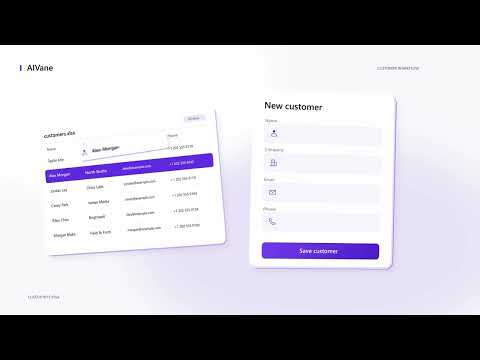
Overview
Record what you do on a web page once, then replay it as an automated workflow. Requires the AIVane desktop app for Windows.
AIVane Web Automation Recorder (formerly AIVane Browser Bridge) works with the desktop app to turn repetitive browser actions into editable automation workflows (RPA). WHAT IT SOLVES Use it for repetitive form filling, data entry, lookup and export tasks, and multi-step browser work. The extension captures your actions. In the desktop app, review the selected material and recipient and explicitly approve optional AIVane Hosted AI to prepare a workflow candidate; inspect, edit and test it before replay. Different websites and tasks may require adjustments. MAIN FEATURES - Action recording: click Start recording, then use the page normally. The extension captures clicks, text input, selections and navigation and sends them to the local desktop app. - Workflow replay: open pages, click elements, fill forms, choose dropdown options, set file inputs. - Page data: read element text and attributes, capture page screenshots or page snapshots. - Pause, resume or discard a recording at any time. Recordings stay editable in the desktop app. REQUIREMENTS - The AIVane desktop app must be installed on the same computer. The current download is Windows x64. Setup and download: https://aivane.net/download/ - Google Chrome 135 or later - Installing this extension alone does not install the desktop app and does not provide a cloud automation service. - Local connection and recording do not require an AIVane account. Optional AIVane Hosted AI uses credits after sign-in and your explicit material review and approval. The desktop has separate external model-service settings; availability depends on the provider and configuration, and use may incur separate charges. The extension itself does not generate workflows or process payments. PRIVACY AND SAFETY Recording can include page content, URLs, screenshots and form values. Password-input exclusion is not complete redaction — avoid recording passwords and unnecessary sensitive data. The extension communicates only with AIVane running on this computer and does not send page content directly to model services. When you review and explicitly approve optional AIVane Hosted AI, the app may send selected recording context to its chosen model providers. If you separately configure and choose an external model service, approved selected context may be sent there under that provider's terms. The extension itself does not contact a model service. Use AIVane only with websites and browser profiles you are authorized to access. Protected browser pages (settings, extension stores) cannot be automated like ordinary websites. Privacy policy: https://aivane.net/browser-bridge/privacy/ Support: support@aivane.net
0 out of 5No ratings
Details
- Version0.6.10
- UpdatedOctober 8, 2026
- Offered byaivane
- Size139KiB
- Languages2 languages
- Developer罗庆
东方时代商城 成都市, 四川省 610000 CNEmail
support@aivane.net - Non-traderThis developer has not identified itself as a trader. For consumers in the European Union, please note that consumer rights do not apply to contracts between you and this developer.
Privacy

AIVane Web Automation Recorder has disclosed the following information regarding the collection and usage of your data. More detailed information can be found in the developer's privacy policy.
AIVane Web Automation Recorder handles the following:
This developer declares that your data is
- Not being sold to third parties, outside of the approved use cases
- Not being used or transferred for purposes that are unrelated to the item's core functionality
- Not being used or transferred to determine creditworthiness or for lending purposes
Support
For help with questions, suggestions, or problems, visit the developer's support site