

G-Note AI: Vienkārša un Moderna Piezīmju Lietotne

Kopsavilkums
Vienkārša un Moderna Piezīmju Lietotne. Sinhronizācija ar Google Drive. Reāllaika sadarbība.
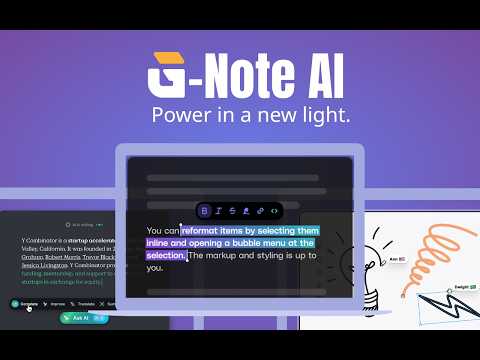
G-Note AI is a free, modern note-taking Chrome extension that combines powerful AI assistance with Google Drive synchronization. Take notes anywhere, collaborate in real-time, and access your notes across all devices - even offline. 🌟 KEY FEATURES: 1. Rich Text Editor → Full formatting support: bold, italic, headings, lists, and more. → Code blocks with syntax highlighting for 50+ programming languages. → Drag & drop images and DPF files. → Drawing and handwriting support. → Task lists with checkboxes. → Markdown import/export. 2. G Vault – Intelligent File Management → Manage PDFs, DOCX, Videos, and Images directly within your own Google Drive. → View PDFs, edit documents, and watch videos without leaving the app. → Your files stay in YOUR Google Drive—no third-party server storage. 3. AI Vision & OCR Technology → Extract text from images within your notes with high precision (supports 19 languages). → Import PDF/DOCX files from G Vault or your computer and convert them into editable notes with a single click. → Instantly insert scanned text from any image into your active editor. 4. AI-Powered Writing Assistant → Summarize long notes instantly. → Continue writing with AI suggestions. → Fix grammar, spelling, and improve clarity. → Translate to 30+ languages. → Extract tasks automatically from your notes. → Ask questions about your content. → Change tone, simplify, or extend text. → Brainstorm ideas and generate content. → Free starter pack: Free credits for new users. 5. Google Drive Sync → Automatic synchronization with your Google Drive. → Your data stays in YOUR Google Drive - complete privacy. → Offline-first: full functionality without internet . → Conflict resolution for seamless multi-device usage. → Works across desktop, mobile, and tablet. 6. Real-Time Collaboration → Share notes with 6-digit room codes. → Collaborate with others in real-time. → See cursor positions and live edits. → Works peer-to-peer for maximum privacy. 7. Multi-Language Support Interface available in 19 languages: English, Vietnamese, Chinese (Simplified/Traditional), Japanese, Korean, French, German, Spanish, Portuguese, Italian, Dutch, Polish, Turkish, Arabic, Hindi, Thai, and Indonesian. ───────────────────────── ▸ PERFECT FOR → Students taking class notes and studying. → Professionals managing meeting notes and tasks. → Writers drafting and editing content. → Teams collaborating on documents. → Anyone who needs quick, reliable note-taking. ───────────────────────── ▸ PRIVACY & SECURITY → Your notes are stored in YOUR Google Drive. → No third-party servers store your data. → End-to-end encryption for real-time collaboration. → Open-source transparency. ───────────────────────── ▸ AVAILABLE ON ALL PLATFORMS → Web App: https://gnoteai.com → Chrome Extension: Chrome Web Store → Android: Google Play Store (PWA) → iOS: App Store (PWA) - Add to Home Screen → Desktop: Windows, macOS, Linux (PWA) ───────────────────────── G-Note AI works everywhere you do. Install once, access anywhere. Website: www.gnoteai.com
4,8 no 54 vērtējumi
Detalizēta informācija
- Versija2.0.5
- Atjaunināts2026. gada 18. februāris
- Lielums4.12MiB
- ValodasValodu skaits: 53
- Izstrādātājsvietne
E-pasts
support@graphosai.com - Neesmu komersantsŠis izstrādātājs nav norādījis, ka būtu tirgotājs. Patērētāji Eiropas Savienībā, lūdzu, ņemiet vērā, ka uz līgumiem starp jums un šo izstrādātāju var neattiekties patērētāju tiesības.
Konfidencialitāte

Izstrādātājs G-Note AI: Vienkārša un Moderna Piezīmju Lietotne ir sniedzis tālāk norādīto informāciju par jūsu datu vākšanu un izmantošanu. Detalizētu informāciju varat skatīt izstrādātāja politikā (privacy policy).
G-Note AI: Vienkārša un Moderna Piezīmju Lietotne rīkojas tālāk norādītajā veidā.
Šis izstrādātājs apgalvo, ka jūsu dati:
- Netiek pārdoti trešajām pusēm, izņemot apstiprinātos lietošanas gadījumus.
- netiek izmantoti vai pārsūtīti ar tādu mērķi, kas nav saistīts ar preces pamatfunkcijām;
- netiek izmantoti vai pārsūtīti, lai noteiktu kredītspēju vai pieņemtu vai palīdzētu pieņemt lēmumus par aizdevumiem.
Atbalsts
Lai uzdotu jautājumus, iesniegtu ieteikumus vai saņemtu palīdzību problēmu novēršanā, lūdzu, atveriet šo lapu datora pārlūkā.