

G-Badges
3 ratings
)
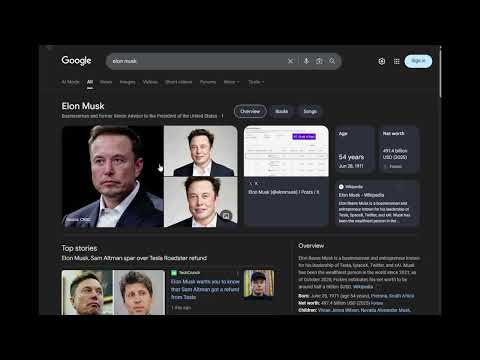
Overview
Adds a [G] badge next to Wikipedia links on Google (and other search engines) that have an equivalent page on Grokipedia.
G-Badges G-Badges is a browser extension that enhances your search experience. It adds a small [G] badge next to Wikipedia links on Google, DuckDuckGo, and other search engines. This badge indicates that an equivalent article exists on Grokipedia. This extension does not redirect or modify the original Wikipedia links. It simply provides an optional, direct link to the Grokipedia alternative. ✨ FEATURES • Simple Badges: Adds a [G] badge next to Wikipedia links that exist on Grokipedia. • Badge-Click Navigation: Click the [G] badge to open the Grokipedia page in your current tab. • Non-Intrusive: The original Wikipedia link is untouched. Clicking "Wikipedia" still takes you to Wikipedia. • User Consent: A simple, one-time "I Understand" prompt is shown on first use. • Full Control: You can easily toggle the badges on or off from the extension's popup menu. 🚦 BADGE STATUS • [...] Checking: Verifying if the Grokipedia page exists. • [G] Link Found: The page exists. Click the badge to navigate. • [✗] Missing: This page is not available on Grokipedia. 🚀 HOW TO USE & TEST 1. Install the extension. 2. Go to Google and search for a major topic (e.g., "Albert Einstein"). 3. The Consent Dialog will appear. Click "I Understand, Continue" to activate the badges. 4. Reload the search page. 5. You should now see a [...] badge appear next to the Wikipedia link, which quickly changes to [G]. TEST THE FUNCTIONALITY • Test 1 (Badge Link): Click the [G] badge. You should be taken to the Grokipedia page. • Test 2 (Original Link): Go back to Google. Click the original "Albert Einstein - Wikipedia" link. You should be taken to the Wikipedia page. • Test 3 (Fallback): Search for an obscure or random page. The badge should resolve to [✗], indicating no page was found. 🚧 COMPATIBILITY Browser Compatibility: • [Optimized For] Chromium Browsers (Google Chrome, Microsoft Edge, Brave) • [Not Yet Tested] Firefox Search Engine Support: • [Full Support] Google Search, DuckDuckGo, Startpage, Ecosia, Yahoo FUTURE FEATURES • [To-Do] Add support for more search engines. • [To-Do] Implement a rich preview pop-up (a "hover card") that appears when you mouse over the [G] badge. 🆘 SUPPORT Users retain complete control: • Toggle the extension on/off in the popup. • Uninstall the extension at any time. ⚖️ LICENSE Copyright (c) 2025 G-Badges. All Rights Reserved. THIS SOFTWARE IS PROVIDED "AS IS", WITHOUT WARRANTY OF ANY KIND, EXPRESS OR IMPLIED, INCLUDING BUT NOT LIMITED TO THE WARRANTIES OF MERCHANTABILITY, FITNESS FOR A PARTICULAR PURPOSE AND NONINFRINGEMENT. IN NO EVENT SHALL THE AUTHORS OR COPYRIGHT HOLDERS BE LIABLE FOR ANY CLAIM, DAMAGES OR OTHER LIABILITY, WHETHER IN AN ACTION OF CONTRACT, TORT OR OTHERWISE, ARISING FROM, OUT OF OR IN CONNECTION WITH THE SOFTWARE OR THE USE OR OTHER DEALINGS IN THE SOFTWARE.
5 out of 53 ratings
Details
- Version1.2.0
- UpdatedNovember 10, 2025
- Offered byCrenta
- Size40.32KiB
- LanguagesEnglish (United States)
- Developer
Email
g.badges.inquiries@gmail.com - Non-traderThis developer has not identified itself as a trader. For consumers in the European Union, please note that consumer rights do not apply to contracts between you and this developer.
Privacy

This developer declares that your data is
- Not being sold to third parties, outside of the approved use cases
- Not being used or transferred for purposes that are unrelated to the item's core functionality
- Not being used or transferred to determine creditworthiness or for lending purposes
Support
For help with questions, suggestions, or problems, visit the developer's support site