

FyDub: Video Translator & AI Dubbing for X

Overview
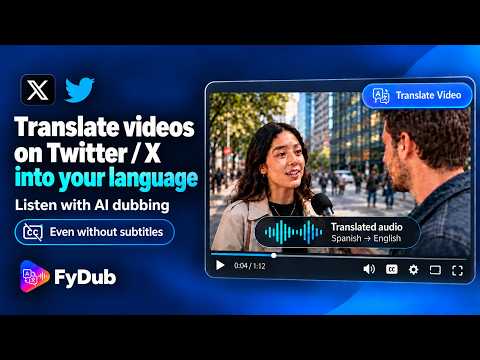
Translate videos on X into your language with natural AI dubbing. Works even without subtitles. Free plan available.
Language shouldn’t be a barrier to understanding the videos you find on X FyDub X Translator translates and dubs the audio of videos on X into your selected language, using natural AI voices synchronized with the video. Follow the message, understand the conversation, and enjoy more of the content you find on X—even when captions are unavailable. Open a video on X, choose your language, and click “Translate Video.” FyDub processes the audio and starts translated playback directly in the video player. No links to copy and no separate site to open. --- ✦ KEY FEATURES 💬 Works with or without captions FyDub can translate a video's audio whether captions or subtitles are available or not. 🌍 Translate into up to 27 languages Choose your preferred translation language directly from the integrated side panel. 🎙️ Natural AI voices Listen to translated speech using the available voice options. ✨ Synchronized translated audio FyDub generates translated speech synchronized with the video, helping you follow the content naturally. ⚡ Translate directly on X Start the translation from the video player with one click, without copying links or using external tools. 🎛️ Integrated side panel Change the translation language, choose a voice, adjust audio preferences, check your free usage, and manage Premium settings without leaving X. 🔊 Audio controls Adjust your audio preferences and choose how you want to hear the original and translated audio. 🌐 Multilingual interface Use the FyDub X Translator interface in your preferred language, with support for 27 interface languages. --- ✦ HOW IT WORKS 1. Open a video on X. 2. Choose your translation language and voice from the side panel. 3. Click “Translate Video” at the top of the video player. 4. FyDub processes the audio and starts playback in your selected language. From the side panel, you can change languages, choose a voice, adjust audio settings, check your free usage, and manage your Premium subscription, including viewing its status and renewal or end date and cancelling it directly from the panel. --- ✦ WITH OR WITHOUT CAPTIONS Captions can be helpful, but they are not required. When captions or subtitles are available, FyDub can use them as part of the translation process. When they are not available, FyDub can process the video's audio to generate the translation. --- ✦ FREE PLAN You can start using FyDub X Translator without creating an account or entering a credit card. The Free plan includes limited daily and monthly translation time, allowing you to try the extension directly on X. You can check your remaining free usage directly from the side panel. --- ✦ PREMIUM — UNLIMITED TRANSLATIONS Premium provides unlimited translations and access to all available languages and voice options. With Premium, you get: ∞ Unlimited translations 🌍 All available translation languages 💬 Translation with or without captions 🎙️ Full access to available voice options 🔄 Cancel anytime --- ✦ PRIVACY & TRANSPARENCY FyDub X Translator uses processing services to generate transcriptions, translations, and translated audio when needed to provide the requested functionality. The necessary content is processed to provide translation and dubbing features. FyDub also uses an anonymous device identifier to manage free usage and Premium access. You do not need to create an account to use the Free plan. Read our Privacy Policy: https://xtranslator.fydub.com/privacy.html Learn more about FyDub X Translator: https://xtranslator.fydub.com
0 out of 5No ratings
Details
- Version1.2
- UpdatedSeptember 27, 2026
- Offered byDaniel Perlera
- Size13.05MiB
- Languages27 languages
- Developer
Email
fydub.app@gmail.com - Non-traderThis developer has not identified itself as a trader. For consumers in the European Union, please note that consumer rights do not apply to contracts between you and this developer.
Privacy

FyDub: Video Translator & AI Dubbing for X has disclosed the following information regarding the collection and usage of your data. More detailed information can be found in the developer's privacy policy.
FyDub: Video Translator & AI Dubbing for X handles the following:
This developer declares that your data is
- Not being sold to third parties, outside of the approved use cases
- Not being used or transferred for purposes that are unrelated to the item's core functionality
- Not being used or transferred to determine creditworthiness or for lending purposes
Support
For help with questions, suggestions, or problems, visit the developer's support site