

FyDub: Audio Translator & Dubbing for YouTube
9 ratings
)
Overview
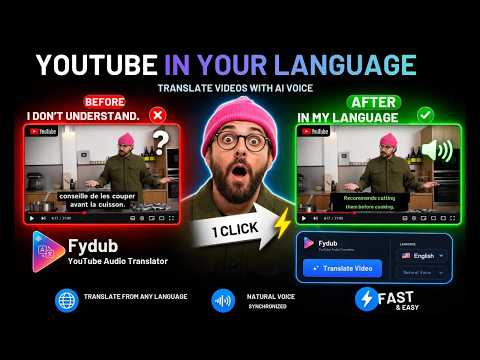
Translate and listen to YouTube videos in your language with natural dubbing synchronized by AI. Free plan included.
Watch YouTube videos in your language with natural real-time dubbing, without needing to read subtitles. FyDub translates the audio of YouTube videos while they play, using natural voices synchronized with the original content. No pausing, no reading, and no complicated steps: just open a video, click “Translate Video,” and FyDub will instantly generate dubbed audio synchronized with the original content. ⸻ ✦ KEY FEATURES 🔄 AI-powered synchronization and translation — the dubbed audio dynamically adjusts its speed to stay aligned with subtitles in real time. 🎙️ Dubbing with natural voices 🌍 Translate from any language — listen to videos in up to 27 languages with natural male or female voices 🔊 Full control — independently adjust the volume of the original video and the dubbed audio 🎛️ Side panel controls — change language, voice, and settings without leaving the video 🔍 Search translation — discover videos in any language and listen to them in yours automatically 🌐 Interface in 27 languages — use the extension comfortably in the language you understand ⸻ ✦ HOW AUDIO TRANSLATION WORKS 1. Open a YouTube video in any language different from yours. 2. Click the “Translate Video” button below the player. 3. The video will start syncing and translating into your language in real time. * In the side panel, you can change the language, voices, original video volume, view your free usage, or upgrade to Premium for unlimited translations. ✅ https://www.youtube.com/watch?v=Wk_m0lLdnnU ✦ SEARCH TRANSLATION — HOW IT WORKS Find more global content: type your search in your language, and FyDub automatically translates it to show you videos in other languages. 1. Search normally in your language. 2. Once the results appear, the “Translate Search” button will also appear. 3. Click the “Translate Search” button. 4. Choose the language you want to translate your search into. 5. You will see results in the selected language. Each video will show: * Original title * Title translated into your language 6. Select the video you want. Once the video opens, click the “Translate Video” button. Audio translation into your language will start automatically. ⸻ ✦ FREE AND PREMIUM PLANS Free plan: Minutes per month + minutes per day No account or credit card required Premium: Unlimited translations, all languages, all voices, and the full real-time dubbing experience ⸻ ✦ PRIVACY AND TRANSPARENCY FyDub processes audio translation using secure external servers. Only the public YouTube video ID and the selected language are used to generate the audio. We use an anonymous device identifier to manage usage limits and restore access — no personal data, no account required, and no tracking across websites. Read the full Privacy Policy: https://extension.fydub.com/privacy.html
4 out of 59 ratings
Details
- Version2.3
- UpdatedOctober 14, 2026
- Offered byDaniel Perlera
- Size159KiB
- Languages27 languages
- Developer
Email
fydub.app@gmail.com - Non-traderThis developer has not identified itself as a trader. For consumers in the European Union, please note that consumer rights do not apply to contracts between you and this developer.
Privacy

FyDub: Audio Translator & Dubbing for YouTube has disclosed the following information regarding the collection and usage of your data. More detailed information can be found in the developer's privacy policy.
FyDub: Audio Translator & Dubbing for YouTube handles the following:
This developer declares that your data is
- Not being sold to third parties, outside of the approved use cases
- Not being used or transferred for purposes that are unrelated to the item's core functionality
- Not being used or transferred to determine creditworthiness or for lending purposes
Support
For help with questions, suggestions, or problems, visit the developer's support site