


Overview
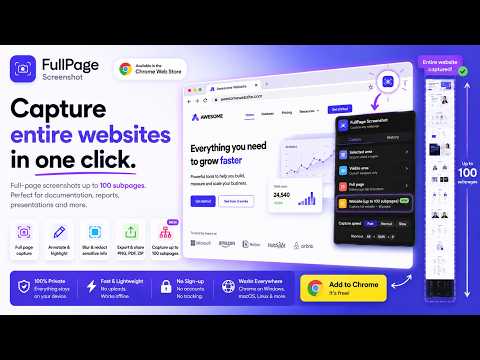
Capture full-page screenshots of any webpage. Annotate, export as PNG/PDF, or crawl an entire website and save every page as a ZIP.
📸 Full Page Screenshot — capture an entire webpage, top to bottom, in a single click. Save long articles, dashboards, landing pages, web apps, receipts and endlessly scrolling pages without the usual viewport limit, then annotate, blur, crop and export them exactly how you need. Use it whenever you want to save, share, document or review a complete page. ⚡ FULL-PAGE SCREENSHOT IN ONE CLICK The extension automatically scrolls, captures and stitches the whole page into one clean image — no manual scrolling, no cut-off content. Works beautifully on tall dashboards, documentation, web shops, support cases and long scrolling sites. 🌐 WHOLE-SITE CAPTURE Crawl an entire website and export every page together in one ZIP. Ideal for QA, client work, audits, redesign reviews and archiving. ✏️ ANNOTATE YOUR SCREENSHOTS Add pen, lines, arrows, rectangles, circles and text with full color and size control, plus undo and redo. Mark bugs, flag design issues or guide a client through a page. 🙈 BLUR & REDACT SENSITIVE DATA Hide names, emails, passwords, customer data or prices before exporting. Redaction is baked into the final image — no hidden layer can be revealed later. ✂️ CROP & CLEAN UP Trim a capture down to the exact area that matters and prepare a clean image for reports, tickets, presentations or documentation. 🎨 DECORATE & BRAND Add a macOS or Windows browser frame, a URL banner or a timestamp — to a single shot or a whole batch — for consistent, professional exports. 💾 EXPORT YOUR WAY Save as PNG, JPG or PDF, or copy straight to your clipboard to paste into Slack, Notion, Jira, email or a Google Doc. Whole-site captures export as a single bundled ZIP. 🔒 BUILT FOR PRIVACY Your screenshots stay on your device. During local capture and editing, nothing is uploaded, stored or analyzed — no telemetry, no tracking cookies, no third-party analytics, no hidden uploads. Everything runs in your browser. When optional cloud sync is enabled, your content is protected with AES-256 end-to-end encryption. ✅ PERFECT FOR Bug reports, QA testing, web design reviews, client approvals, support docs, security audits, website archiving, research, receipts, recipes, articles and dashboards. ⭐ PRO PLAN Full Page Screenshot Pro is $3/month and unlocks every feature: unlimited captures, whole-site capture, annotation, blur and redaction, crop, decorations, PNG/JPG/PDF export, ZIP export and clipboard copy. Includes a 14-day free trial, cancel anytime, with a 14-day money-back guarantee. 🇩🇰 Made by NKG ApS — Copenhagen, Denmark. ✉️ Support: support@nkg.dk 🔗 Privacy: https://fullpagescreenshot.eu/privacy-policy/ 📄 Terms: https://fullpagescreenshot.eu/terms
3 out of 52 ratings
Details
- Version1.0.17
- UpdatedSeptember 23, 2026
- FeaturesOffers in-app purchases
- Size66.66KiB
- LanguagesEnglish
- Developer
- TraderThis developer has identified itself as a trader per the definition from the European Union and committed to only offer products or services that comply with EU laws.
- D-U-N-S306143300
Privacy

FullPage Screenshot has disclosed the following information regarding the collection and usage of your data. More detailed information can be found in the developer's privacy policy.
FullPage Screenshot handles the following:
This developer declares that your data is
- Not being sold to third parties, outside of the approved use cases
- Not being used or transferred for purposes that are unrelated to the item's core functionality
- Not being used or transferred to determine creditworthiness or for lending purposes
Support
For help with questions, suggestions, or problems, please open this page on your desktop browser