

Kuvakaappaus koko sivusta — SnapshotFlow

Yleiskatsaus
Kuvakaappaus koko sivusta: muokkaa, piilota tiedot ja tallenna paikallisesti PNG-, JPG- tai PDF-muodossa. Alle 100 kt, ei tiliä.
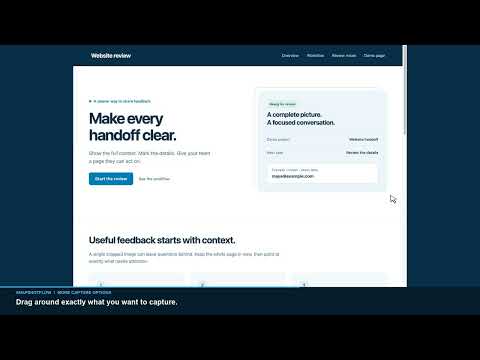
Capture the whole page. Mark what matters. Save it your way. SnapshotFlow is a screenshot extension for Chrome with free local capture, an editable annotation workspace, and PNG, JPG and PDF export. No account is required for local tools. Use it for bug reports, design reviews, documentation and feedback on any webpage. How it works 1. Open a webpage and click the SnapshotFlow button. To capture the full page right away, press Alt+Shift+S. 2. Choose what to capture: the full page, the visible area or a selection. 3. Add arrows, text, numbered steps or redaction in the editor. 4. Download PNG, JPG or PDF, or copy the image to your clipboard. Capture the content you need • Full page: scroll and capture the entire webpage, or press Alt+Shift+S. • Visible area: save what is currently on screen. • Selected area: drag a rectangle around the content you need. • From this position: capture the page starting where you are. • Scrolling area: capture a selected scrollable block. • Optionally hide chosen page elements before capture. The page is restored afterward. • Add a 3, 5 or 10 second delay when the page needs a moment. Make your screenshot useful • Crop, add arrows, text, rectangles, highlights and numbered steps. • Select an annotation to move it, change it or delete it. • Cover private details with solid black redaction. • Undo and redo changes while editing. • Reopen recent captures with their committed edits restored. • Open PNG, JPG or WebP images, drag in a file, or paste an image from your clipboard. Save it your way • Download PNG or JPG. • Export an image-based, multi-page PDF in US Letter or A4. • Copy the edited image into a message or document. • Export without a watermark. • Very long captures are split into parts: PNG and JPG save the selected part, and PDF includes all parts. Local by default Local capture, editing and export run on your device. There are no automatic uploads or analytics in the extension. Optional account features run only when you choose them: • Save an edited image to your SnapshotFlow dashboard. • Render a page URL on the SnapshotFlow server. This uses your API rendering quota and does not include your browser login or local edits. Recent history keeps up to five captures and their editable drafts for 24 hours. Download the final result to keep it longer. Redaction is flattened into exported pixels; the editable original remains locally until deletion or expiry. Chrome-protected pages cannot be captured. Changing pages, virtualized lists and cross-origin frames may produce incomplete results. PDFs contain images, not selectable text or preserved hyperlinks. Learn more: https://snapshotflow.com/chrome-extension
Tiedot
- Versio1.3.0
- Päivitetty1. marraskuuta 2026
- Koko78.56KiB
- Kielet36 kieltä
- KehittäjäSivusto
Sähköposti
support@snapshotflow.com - Muu kuin elinkeinonharjoittajaKehittäjä ei ole tunnistautunut elinkeinonharjoittajaksi. Huomioitavaa kuluttajille Euroopan Unionin alueella: Kuluttajan oikeudet eivät päde sinun ja kehittäjän välisiin sopimuksiin.
Tietosuoja

Kuvakaappaus koko sivusta — SnapshotFlow on ilmoittanut seuraavat tiedot datasi keräämisestä ja käytöstä. Tarkempia tietoja löytyy kehittäjän käytännöstä: privacy policy.
Kuvakaappaus koko sivusta — SnapshotFlow käsittelee seuraavia:
Kehittäjän mukaan datasi on
- ei myydä kolmansille osapuolille muissa kuin hyväksytyissä käyttötapauksissa
- ei käytetä tai siirretä syystä, joka ei liity tuotteen ydintoimintoihin
- ei käytetä tai siirretä luottokelpoisuuden toteamiseksi tai lainoja varten.
Tuki
Jos sinulla on kysymyksiä, ehdotuksia tai ongelmia, siirry kehittäjien tukisivustolle.


