

Full Webpage Screenshot – PageReel

Overview
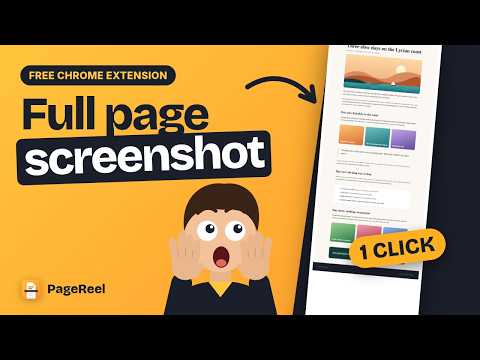
Full Webpage Screenshot: also the visible area or a selection. Hide ads, annotate, save as PNG, JPG or PDF.
PageReel full page screen capture an entire web page in one click and lets you mark it up before you save or share it. THREE WAYS TO CAPTURE • Full page screen capture: scrolls the page for you and stitches every screen into one image. Sticky headers appear once, and lazy-loaded images are loaded before the capture starts. • Visible area: captures exactly what is on screen. • Select area: drag a rectangle around the part you need. HIDE ADS Common ad slots are removed before a full-page capture and the page closes up around them. You can switch this off in the menu. Detection relies on standard ad markup, so some ads may still appear. MARK IT UP Add text, arrows, boxes, freehand pen and highlighter in six colors and three sizes. Blur sensitive details or black them out with adjustable darkness. Undo and redo any step. SAVE IT YOUR WAY Download as PNG, JPG or a paged PDF, or copy the image straight to the clipboard. PRIVATE BY DESIGN • No account and no sign-up. • Captures are stored only in your browser and are never uploaded. • They are deleted automatically after one day. • PageReel only touches a page when you click its icon or use a shortcut. MORE • Keyboard shortcuts for every mode, all customizable. • 55 languages, chosen automatically from your browser or picked by you. • Handles pages whose content scrolls inside a panel, as many web apps do. GOOD TO KNOW • Chrome does not allow extensions on its own pages (settings, new tab, the Web Store). • Chrome limits how fast screens can be captured, so very long pages take a little longer. • Pages longer than 200 screens are cut off, and the result page tells you.
0 out of 5No ratings
Details
- Version1.5.1
- UpdatedOctober 7, 2026
- Size140KiB
- Languages55 languages
- DeveloperFull Page Screen Capture – PageReelWebsite
100 Buljan Dr Roseville, CA 95678 USEmail
pageereel@gmail.com - Non-traderThis developer has not identified itself as a trader. For consumers in the European Union, please note that consumer rights do not apply to contracts between you and this developer.
Privacy

This developer declares that your data is
- Not being sold to third parties, outside of the approved use cases
- Not being used or transferred for purposes that are unrelated to the item's core functionality
- Not being used or transferred to determine creditworthiness or for lending purposes
Support
For help with questions, suggestions, or problems, visit the developer's support site