

F_U Paste Me

概述
Paste wherever the f_ck you want
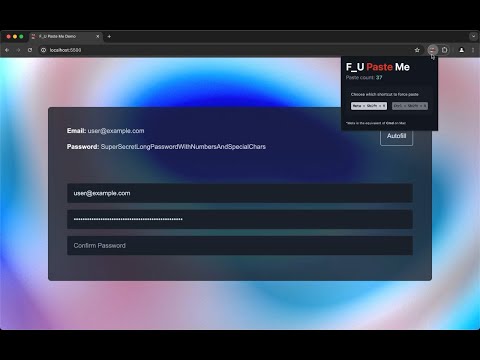
A simple browser extension that allows pasting in input fields, even in fields where pasting has been disabled. Improves user experience and allows pasting complex passwords copied from password managers for when autofill isn’t fully supported. The paste shortcut is preset based on the user’s device, `⌘Cmd + Shift + V` for Mac and `Ctrl + Shift + V` for Windows and Linux, but it can also be modified to suit individual preferences. LIMITATIONS - The extension only supports force pasting in the following input types: email, number, password, search, tel, text, and url. - Select and replace pasting works for all supported inputs except for email and number. So pasting anywhere in these fields would overwrite them. - Force pasting in paste-disabled fields doesn't work when the field contains text that is selected in its entirety. This a side effect of a safeguard put in place to avoid duplicate pasting in the very rare case where a paste-enabled field's text is selected in its entirety and replaced with the same text as before (therefore should remain unchanged). IF YOU EVER FACE THIS ISSUE, SIMPLY CLEAR THE FIELD BEFORE PASTING AND IT SHOULD WORK AS EXPECTED.
0 星(5 星制)无评分
详情
- 版本0.92.1
- 上次更新日期2024年6月1日
- 提供方Haroun B.
- 大小29.06KiB
- 语言English
- 开发者
邮箱
haroun@holyduck.dev - 非交易者该开发者尚未将自己标识为交易者。欧盟地区消费者须知:消费者权利可能不适用于您与该开发者达成的合约。
隐私权
该开发者已声明,您的数据:
- 不会因未获批准的用途出售给第三方
- 不会为实现与产品核心功能无关的目的而使用或转移
- 不会为确定信用度或放贷目的而使用或转移
支持
若有任何疑问、建议或问题,请在桌面浏览器中打开此页面