

Friday
2 ratings
)
Overview
AI meeting assistant for Google Meet & Zoom. Capture captions, understand the conversation, stay relevant in every meeting.
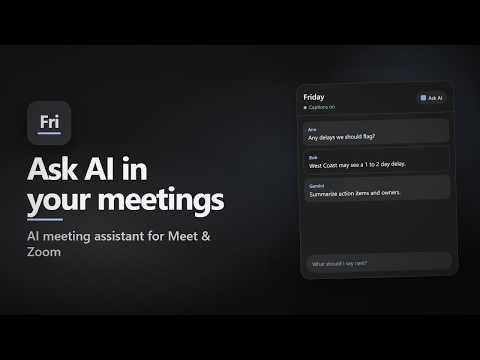
Friday is an AI meeting assistant for Google Meet and Zoom in Chrome. It captures live captions into a side panel so you can follow the conversation, search what was said, save meetings on this device, and optionally ask AI with your own API key. Why install Friday • Stay on top of long calls without scrambling for notes • Search, copy, and download captions after the meeting ends • Ask AI for a recap, what to say next, or a quick answer using recent captions • No Friday account and no Friday server. Captions stay on your computer unless you send a chat message in AI How to use 1. Join a Google Meet or Zoom meeting in Chrome (web only). 2. Turn on captions (CC) in the meeting toolbar. 3. The Friday panel appears on the right. Drag the left edge to resize. 4. Search captions, copy them, or download as Text (.txt) or PDF. 5. Open Meetings to reopen or delete past captions saved on this device. Ask AI (optional) Open Ask AI, choose Gemini, OpenAI, or OpenRouter, paste your own API key in Settings, then chat. Friday can use recent captions and this chat as context. You pick how many lines and messages in Settings. Past chats stay on this device and you can open them from the history icon. You can remove a saved key anytime in Settings. If you never use Ask AI, captions are not sent anywhere. Privacy in short • Captions and chats are stored locally in Chrome on this device • There is no Friday account or Friday server • An AI provider is used only when you send a chat message, with your key, over HTTPS • Uninstall the extension to remove its local extension data Notes • Works on a computer in Chrome 109+, and Chromium browsers such as Edge, Brave, or Arc, with Google Meet and Zoom web • Does not capture the desktop Zoom app • Does not run in phone browsers • You must turn on captions yourself. Friday reads the caption text already on the page • If a meeting is already open when you install or update, reload the extension on chrome://extensions. Do not refresh the meeting tab Friday helps you stay relevant in every meeting: capture what was said, find it later, and ask AI when you need a hand.
5 out of 52 ratings
Details
- Version1.7.0
- UpdatedAugust 28, 2026
- Offered byMediusware
- Size126KiB
- LanguagesEnglish
- Developer
Email
tech.mediusware@gmail.com - Non-traderThis developer has not identified itself as a trader. For consumers in the European Union, please note that consumer rights do not apply to contracts between you and this developer.
Privacy

Friday has disclosed the following information regarding the collection and usage of your data. More detailed information can be found in the developer's privacy policy.
Friday handles the following:
This developer declares that your data is
- Not being sold to third parties, outside of the approved use cases
- Not being used or transferred for purposes that are unrelated to the item's core functionality
- Not being used or transferred to determine creditworthiness or for lending purposes