Item logo image for Free Screenshot Capture

Free Screenshot Capture

Item media 2 (screenshot) for Free Screenshot Capture
Item video thumbnail
Item media 2 (screenshot) for Free Screenshot Capture
Item video thumbnail
Item media 2 (screenshot) for Free Screenshot Capture

Overview

Takes screenshots with personalized keys

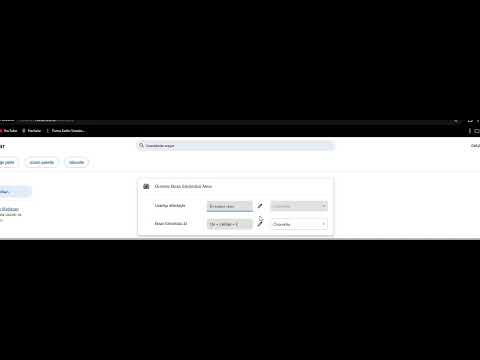
Take screenshots with just one key combination Take screenshots with the CTRL-LEFT SHIFT-E combination as the default setting. Takes screenshots only of what is inside Chrome. Taking Taskbar images only takes Chrome so you don't have to crop the screenshot you take. Downloads directly to the Downloads folder. It downloads to the Downloads folder and you also see a notification that it is downloaded. Simple interface. You can change the settings with 1-2 clicks, simple modern interface. Turkish and English Language options. You can choose between 2 languages. Ability to Set the Key Combination You Want. You can set the key combination or key you want from the settings.

Details

  • Version
    1.2
  • Updated
    May 5, 2025
  • Offered by
    ahmethazar0133
  • Size
    20.87KiB
  • Languages
    2 languages
  • Developer
    2025
    Adana/SARIÇAM SARIÇAM, Adana 01140 TR
    Email
    ahmethazar0133@gmail.com
  • Non-trader
    This developer has not identified itself as a trader. For consumers in the European Union, please note that consumer rights do not apply to contracts between you and this developer.

Privacy

Manage extensions and learn how they're being used in your organization

Free Screenshot Capture has disclosed the following information regarding the collection and usage of your data. More detailed information can be found in the developer's privacy policy.

Free Screenshot Capture handles the following:

Website content

This developer declares that your data is

  • Not being sold to third parties, outside of the approved use cases
  • Not being used or transferred for purposes that are unrelated to the item's core functionality
  • Not being used or transferred to determine creditworthiness or for lending purposes

Support

Related

Downloads Button

4.5

Quick Button to Chrome Downloads

webpage screenshots

0.0

One-click generation of webpage screenshots

Drag image To Save

3.9

Drag an image to save it

Canvas Key Shortcuts

5.0

Control Canvas navigation using keyboard

Touch Keyboard - On-screen virtual keyboard

5.0

On-screen virtual keyboard for touch screens and kiosks

Instant Screenshot + Copy

1.0

Capture full-page or custom area screenshots and save or copy them instantly. Fast, flexible, and private.

Rearrange Tabs

4.8

Allows users to rearrange tabs using keyboard shortcuts

Fullscreen

4.4

Fullscreen extension for device without keyboard

Auto Clicker

4.3

Chrome extension to automate clicks with customizable keyboard shortcut

Double Right-click Image Saver

5.0

Double right-click on any image to save it with your custom naming rules.

Ukrainian Phonetic Keyboard

3.0

Ukrainian Phonetic keyboard layout for Chrome OS with custom key mappings. Custom mappings and auto context refresh.

Move Tab Hotkeys (Chrome Number Pad Keys)

0.0

Hotkeys to move tabs around

Downloads Button

4.5

Quick Button to Chrome Downloads

webpage screenshots

0.0

One-click generation of webpage screenshots

Drag image To Save

3.9

Drag an image to save it

Canvas Key Shortcuts

5.0

Control Canvas navigation using keyboard

Touch Keyboard - On-screen virtual keyboard

5.0

On-screen virtual keyboard for touch screens and kiosks

Instant Screenshot + Copy

1.0

Capture full-page or custom area screenshots and save or copy them instantly. Fast, flexible, and private.

Rearrange Tabs

4.8

Allows users to rearrange tabs using keyboard shortcuts

Fullscreen

4.4

Fullscreen extension for device without keyboard

Google apps