

FrameText

Overview
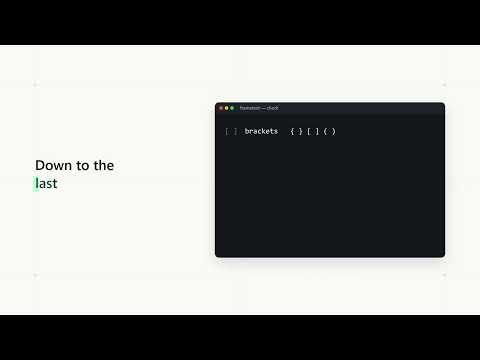
Pause any video and select, copy, or screenshot the text on screen. OCR runs locally.
Pause a video, drag a box around the text you see, and it's on your clipboard. FrameText turns the paused frame of any video into selectable text: code from programming tutorials, slides from lectures, terminal commands, captions, error messages. No retyping, no squinting at blurry frames. HOW IT WORKS • Pause any video. "Select text" and "Screenshot" buttons appear in its corner. • Click Select text, then drag a rectangle over the text you want. Only what's inside is copied. • Code keeps its indentation, line breaks, brackets and semicolons, so it pastes straight into your editor. • Click a single word to copy just that word, or use Copy all. • Screenshot: drag a rectangle to save just that area, or click once for the whole frame. It's copied to your clipboard and saved as a PNG at the video's full resolution. BUILT FOR CODING VIDEOS • Reads syntax-highlighted code in dark and light editor themes, including coloured keywords. • Handles code you've selected in the editor, small fonts and compressed video. • Fixes common OCR slips in code: 0 read as @, . read as -, }; read as },, l read as 1 and more. • Side-by-side panes and slide columns are copied one after another, not mixed together. PRIVATE BY DESIGN • Text recognition runs entirely on your computer (Tesseract OCR, bundled with the extension). • Video frames and the text in them never leave your browser. No account, no servers, no tracking, no usage limits. OPTIONS • Read text while paused: the frame is read in the background as soon as you pause, so results appear faster. • Most accurate mode: a larger text model for better punctuation, about a third slower. • Optional keyboard shortcut, and a per-site on/off switch. NOTES • On YouTube, if a paused video is playing below 720p, FrameText switches it to HD before reading, since small text can't be read at low resolution. Elsewhere it suggests choosing 720p or higher. • Handwriting and DRM-protected streaming services (such as Netflix) can't be read. • English text works best.
0 out of 5No ratings
Details
- Version1.0.0
- UpdatedNovember 11, 2026
- Offered bypavangangireddy53@gmail.com
- Size7.64MiB
- LanguagesEnglish
- Developer
Email
rolexsirreddy@gmail.com - Non-traderThis developer has not identified itself as a trader. For consumers in the European Union, please note that consumer rights do not apply to contracts between you and this developer.
Privacy

This developer declares that your data is
- Not being sold to third parties, outside of the approved use cases
- Not being used or transferred for purposes that are unrelated to the item's core functionality
- Not being used or transferred to determine creditworthiness or for lending purposes