

FramedShot — Screenshot Mockup Maker
10 ratings
)
Overview
Turn screenshots into polished mockups with frames, gradients, and social presets. 100% FREE & No Watermarks
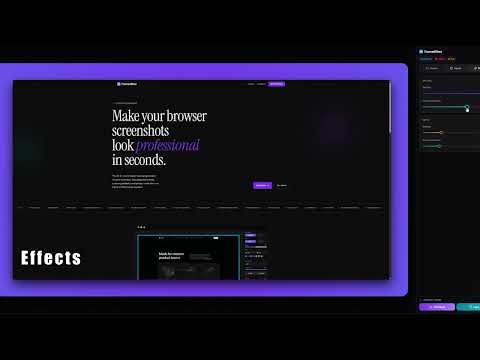
FramedShot is a free Chrome extension that turns plain screenshots into beautiful, share-ready mockups in seconds. Add browser frames, gradient backgrounds, and social media presets — no Figma or Photoshop needed. Whether you're a developer sharing Build in Public updates or a designer building a portfolio, FramedShot makes every screenshot look professional. ✨ KEY FEATURES 🖼️ Screenshot Capture One-click visible tab capture or custom area selection via keyboard shortcuts. Capture full-page or partial screenshots instantly from any website. 📸 Image Upload & Editor Already have an image? Upload any local PNG, JPG, or WebP file directly into the editor to apply professional frames and backgrounds without re-capturing. 🖥️ Browser & Device Mockup Frames Add realistic browser window frames with adjustable padding and rounded corners. Turn any image into a clean, professional mockup in one click. ♿ 100% Accessible & Keyboard-First FramedShot is built for everyone. We believe professional design tools should be inclusive, which is why we’ve engineered a fully accessible workflow. 💾 Saved Presets Save your favorite design configurations—including specific gradients, padding, and frame styles—as reusable presets. Maintain a consistent visual brand across all your posts with one click. 🎨 Custom Gradient Backgrounds Choose from high-fidelity linear or radial gradients, solid colors, or saved presets with full angle and color-stop control. Create stunning visuals without a design tool. 📐 Social Media Presets Auto-resize your screenshots for popular social platforms with built-in dimension presets. ✏️ Annotation & Privacy Tools Mark up screenshots with arrows and highlights. Redact sensitive information using pixelate, blur, or solid fill — perfect for documentation, tutorials, and support guides. 📦 High-Resolution Export Save as PNG, JPG, or WebP at 1x, 2x (Retina), or 3x scale. Every export is crisp and production-ready. ⚡ Workflow Shortcuts Copy to clipboard, batch export as ZIP, and save custom themes to reuse across projects. Built for speed. 🎯 WHO IS IT FOR? Developers — Share polished code snippets, UI screenshots, and Build in Public updates on social media. Marketers & Designers — Create product mockups, ad creatives, and presentation visuals without Figma or Photoshop. Product Teams — Build professional documentation, changelogs, and support guides faster. Content Creators — Make eye-catching blog headers, newsletter images, and social media graphics from any screenshot. 🚀 WHY FRAMEDSHOT? ✅ 100% Free — No watermarks, no hidden fees, no premium tier. Every feature is available to everyone. 🔒 Privacy First — No account required. No data leaves your browser. All image processing happens 100% locally in your browser, and screenshots are not auto-saved to your device unless you choose to export them. ⚙️ Manifest V3 — Built on Chrome's latest, most secure extension standard for peak performance and reliability. ⌨️ KEYBOARD SHORTCUTS Ctrl/Cmd + C → Copy to clipboard Ctrl/Cmd + S → Instant download Ctrl/Cmd + W → Close editor Beautiful screenshots start here. Install FramedShot and make every image you share look like it was designed by a pro.
5 out of 510 ratings
Details
- Version3.0
- UpdatedMarch 23, 2026
- Offered byAndreiProjects
- Size580KiB
- LanguagesEnglish
- Developer
Email
andrei.projects@proton.me - Non-traderThis developer has not identified itself as a trader. For consumers in the European Union, please note that consumer rights do not apply to contracts between you and this developer.
Privacy

This developer declares that your data is
- Not being sold to third parties, outside of the approved use cases
- Not being used or transferred for purposes that are unrelated to the item's core functionality
- Not being used or transferred to determine creditworthiness or for lending purposes