

Formly
1 rating
)
Overview
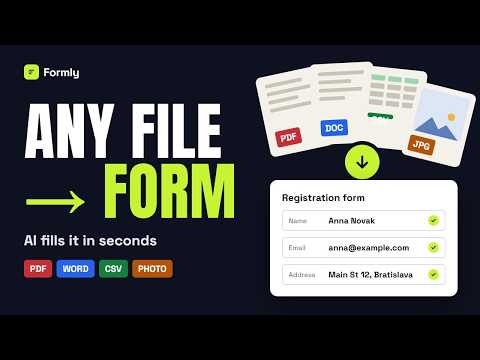
Upload a file and let AI fill out the form for you.
Stop typing the same information into web forms over and over. Formly reads a file you upload, such as a PDF, Word document, spreadsheet, or photo, and uses AI to fill in the form on the page you're viewing. No manual copy-pasting, no re-typing. HOW IT WORKS 1. Open any web form. 2. Click the Formly icon and upload a file with your data, for example a resume, an invoice, or a list of registrations. 3. Formly matches the file's content to the form's fields and fills them in for you. SEVERAL PEOPLE IN ONE FILE If your spreadsheet contains data for multiple people, Formly detects this and lets you choose which record to use. Switching between people is instant and doesn't use extra fills. PRIVACY Your file is sent only to the AI provider to process that single request. Formly does not store or collect its contents. PRICING You get 10 free fills every month with no account required. Paid plans offer up to 1,000 fills per month.
5 out of 51 rating
Details
- Version1.0.6
- UpdatedOctober 8, 2026
- FeaturesOffers in-app purchases
- Offered bycsv.filler
- Size256KiB
- LanguagesEnglish
- DeveloperLukáš Obertáš
Stredna Revuca 351 Liptovske Revuce 03474 SKEmail
csv.filler@gmail.comPhone
+421 919 221 518 - TraderThis developer has identified itself as a trader per the definition from the European Union and committed to only offer products or services that comply with EU laws.
Privacy

Formly has disclosed the following information regarding the collection and usage of your data. More detailed information can be found in the developer's privacy policy.
Formly handles the following:
This developer declares that your data is
- Not being sold to third parties, outside of the approved use cases
- Not being used or transferred for purposes that are unrelated to the item's core functionality
- Not being used or transferred to determine creditworthiness or for lending purposes
Support
For help with questions, suggestions, or problems, please open this page on your desktop browser