

FormFully
21 ratings
)
Overview
Fill forms instantly with the original one-value mode or smart profile-aware autofill.
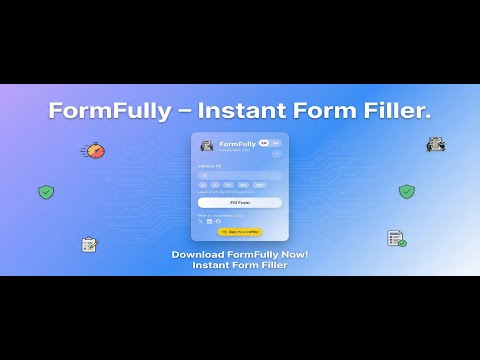
FormFully – Supercharge Your Productivity with Instant Form Filling FormFully is a cutting-edge browser extension designed to dramatically boost your productivity by automatically filling input fields on any website with your preferred value. Ideal for developers testing web forms, frequent online shoppers, or anyone who regularly completes online registrations, surveys, or input-heavy tasks, FormFully makes it effortless to populate forms with just a single click or keyboard shortcut. This extension saves you from tedious manual typing by allowing you to customize default values or generate random entries across various input types, streamlining workflows and reducing repetitive work. At its core, FormFully enables you to specify default values—whether text, email, numbers, dates, colors, or even random data—that automatically populate every matching input field or text area on a webpage. A standout feature is its intelligent handling of specialized input fields: date inputs are filled with the current time when the fill button is pressed, color inputs receive a randomly generated color, and if the default value is left empty, the extension populates fields with random numbers from 1 to 5. This flexibility makes it a powerful tool not only for everyday users but also for QA testers who require randomized or dynamic form data on demand. The user interface is sleek, modern, and highly accessible. Through a context-sensitive popup, users can easily enter or modify their default auto-fill values, save multiple presets for different use cases, and switch languages instantly for a localized experience. For convenience, form filling can be triggered via the popup button, a context menu action, or a global keyboard shortcut—Alt+Shift+F for Windows/Linux or Option+Shift+F for macOS—allowing users to fill forms swiftly even without opening the popup. FormFully’s behind-the-scenes service worker ensures that filling happens rapidly and reliably, with minimal resource consumption, operating seamlessly in the background without disrupting your normal browsing. Advanced features include support for dynamic and bulk filling, making it ideal for automated registration, QA testing, or any scenario that benefits from rapid data entry. Multiple preset management lets you organize and switch between sets of default values such as names, emails, or randomized strings, enhancing workflow efficiency for diverse tasks. Security and privacy are paramount in FormFully’s design. All fill presets and values are stored locally within your browser’s storage, never transmitted externally, ensuring that your personal data remains under your control. The form-filling process is executed entirely within your device, providing peace of mind when working with sensitive or private information. By automating the repetitive task of form filling and introducing powerful customization and randomization capabilities, FormFully transforms hours of manual input into seconds. You can now reclaim valuable time, reduce errors, and improve productivity across countless web-based activities with a versatile, user-friendly, and privacy-conscious solution. Key Features: - One-click auto-fill: Instantly populate all matching form fields with your chosen value or random data if left blank. - Custom value presets: Save multiple default values suited to different scenarios (e.g., names, emails, numbers, random text). - Smart input handling: Fill date inputs with the current time, color inputs with random colors, and generate random numbers when inputs are empty. - Global keyboard shortcut: Quickly fill forms anywhere using Alt+Shift+F (Windows/Linux) or Option+Shift+F (macOS) without opening the popup. - Multi-language support: Switch interface languages instantly for a localized and comfortable user experience. - Clean, intuitive popup interface: Manage presets, set default values, and view shortcut keys at a glance with a modern design. - Fast and efficient background filling: Utilizes advanced scripting and service worker APIs for reliable, low-resource form completion in milliseconds. How It Works: 1. Install FormFully from your browser’s extension store. 2. Click the FormFully extension icon to open the popup. Enter your desired default value for auto-filling, such as a specific name, email, or test string. 3. Optionally, save multiple presets to handle various fill scenarios, such as random test data or different sets of personal information. 4. Navigate to any webpage with input fields—registration forms, surveys, profile settings, and more. 5. Click the “Fill Form” button within the popup or simply press the global keyboard shortcut (Alt+Shift+F on Windows/Linux or Option+Shift+F on macOS) to auto-fill all applicable inputs on the page. 6. The extension fills date fields with the current time, color fields with random colors, and leaves fields blank are filled with random numbers (1-5), ensuring diverse and useful data entry. 7. Review and submit your form, or edit the auto-filled values as needed. Customize language preferences or manage presets quickly through the intuitive interface. Privacy: - No personal data collected. FormFully securely stores all your fill presets and entered values locally in your browser. Your data never leaves your device, and all form-filling actions are processed entirely on-device for maximum privacy and security.
5 out of 521 ratings
Details
- Version2.2.1
- UpdatedJuly 25, 2026
- Offered byMohammed Alajmi
- Size122KiB
- LanguagesEnglish (United States)
- Developer
Email
Mohammed-Alajmi@outlook.sa - Non-traderThis developer has not identified itself as a trader. For consumers in the European Union, please note that consumer rights do not apply to contracts between you and this developer.
Privacy

This developer declares that your data is
- Not being sold to third parties, outside of the approved use cases
- Not being used or transferred for purposes that are unrelated to the item's core functionality
- Not being used or transferred to determine creditworthiness or for lending purposes