


總覽
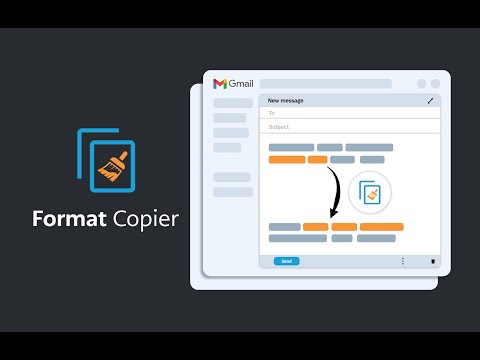
Gmail 的格式刷。複製文本格式並將該格式應用於其他文本。
A format painter for Gmail has arrived. This extension is a tool to copy the format of a body of text and paste that format onto another body of text. This extension has been specifically designed to work with Gmail when it is accessed through the Google Chrome Browser. ------------------------ INSTRUCTIONS - See below or above video For installation instructions see instruction video. * After installing this extension, close all opened windows of Chrome and then reopen. Once Chrome is reopened, the extension will operate. 1. Highlight the text you wish to copy the format from and then right click “Format Copier” from the right click menu then click “Copy” 2. Highlight the text you wish to copy the format to and then right click “Format Copier” from the right click menu then click “Paste” 3. Congratulations! Want to speed things up? You can assign “Copy” and “Paste” to keyboard shortcuts. Instructions on how to do this below or in the video. 1. In your Chrome Browser go to chrome://extensions/shortcuts 2. Find this extension and assign copy and paste functions to a keyboard shortcut of your choosing. This can be achieved for each function by first clicking the pencil icon next to each function 3. You have successfully assigned keyboard shortcuts to the copy and paste functions, Congratulations! Instructions with keyboard shortcuts. 1. Highlight the text you wish to copy the format from and then enter your keyboard shortcut for the “Copy” function 2. Highlight the text you wish to copy the format from and then enter your keyboard shortcut for the “Paste” function 3. You have successfully copied and pasted text format, congratulations! ------------------------ Step by step instructions also in video form above. *note that copying the format of bullet points is not yet supported. All updates are included free of charge for any customers that have previously purchased.
4.4 分 (滿分 5 分)19 個評分
詳細資料
隱私權

「Format Copier」已揭露下列關於收集及使用資料的資訊。 如需更多詳細資訊,請參閱開發人員的《privacy policy》。
Format Copier 會處理下列資料:
這位開發者就你的資料做出下列聲明:
- 除經核准的用途外,不會將你的資料販售給第三方
- 不會基於與商品核心功能無關的目的,使用或轉移資料
- 不會為了確認信用度或基於貸款目的,使用或轉移資料
支援
如有疑問或建議,請使用電腦版瀏覽器開啟這個頁面