


Muhtasari
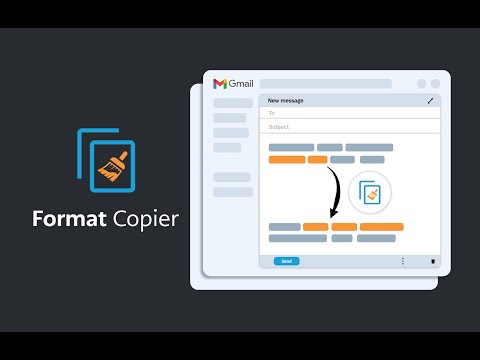
Mchoraji wa umbizo la Gmail. Hunakili umbizo la maandishi na kutumia umbizo hilo kwa maandishi mengine.
A format painter for Gmail has arrived. This extension is a tool to copy the format of a body of text and paste that format onto another body of text. This extension has been specifically designed to work with Gmail when it is accessed through the Google Chrome Browser. ------------------------ INSTRUCTIONS - See below or above video For installation instructions see instruction video. * After installing this extension, close all opened windows of Chrome and then reopen. Once Chrome is reopened, the extension will operate. 1. Highlight the text you wish to copy the format from and then right click “Format Copier” from the right click menu then click “Copy” 2. Highlight the text you wish to copy the format to and then right click “Format Copier” from the right click menu then click “Paste” 3. Congratulations! Want to speed things up? You can assign “Copy” and “Paste” to keyboard shortcuts. Instructions on how to do this below or in the video. 1. In your Chrome Browser go to chrome://extensions/shortcuts 2. Find this extension and assign copy and paste functions to a keyboard shortcut of your choosing. This can be achieved for each function by first clicking the pencil icon next to each function 3. You have successfully assigned keyboard shortcuts to the copy and paste functions, Congratulations! Instructions with keyboard shortcuts. 1. Highlight the text you wish to copy the format from and then enter your keyboard shortcut for the “Copy” function 2. Highlight the text you wish to copy the format from and then enter your keyboard shortcut for the “Paste” function 3. You have successfully copied and pasted text format, congratulations! ------------------------ Step by step instructions also in video form above. *note that copying the format of bullet points is not yet supported. All updates are included free of charge for any customers that have previously purchased.
4.2 kati ya 5Ukadiriaji 20
Maelezo
- Toleo3.52
- Imesasishwa5 Aprili 2026
- VipengeleKipengee hiki kina ununuzi wa ndani ya programu
- Ukubwa330KiB
- LughaLugha 54
- Wasanidi ProgramuAlexandros CollivasTovuti
Unit 913/627 Victoria St Abbotsford, VIC 3067 AUBarua pepe
formatcopier@gmail.comSimu
+61 413 707 649 - MchuuziMsanidi programu huyu amejitambulisha kuwa mchuuzi kulingana na ufafanuzi wa Umoja wa Ulaya na ameahidi kutoa tu bidhaa au huduma zinazotii sheria za Umoja wa Ulaya.
Faragha

Format Copier amefumbua maelezo yafuatayo kuhusu ukusanyaji na utumiaji wa data yako. Maelezo ya kina zaidi yanaweza kupatikana kwenye privacy policy ya msanidi programu.
Format Copier inashughulikia yafuatayo:
Msanidi programu huyu anabainisha kwamba data yako
- Haiuzwi kwa watoa huduma wengine, nje ya hali za matumizi zilizoidhinishwa
- Haitumiwi wala kuhamishwa kwa madhumuni ambayo hayahusiani na utendaji mkuu wa kipengee
- Haitumiwi wala kuhamishwa kwa nia ya kubaini kama unastahili kupokea mkopo au kwa madhumuni ya ukopeshaji
Usaidizi
Ili upate usaidizi ukiwa na maswali, mapendekezo au matatizo, tafadhali fungua ukurasa huu kwenye kivinjari cha kompyuta yako ya mezani